In addition to Mollie, Klubs offers a few other options for your online payments:
Mollie A modern, tech-driven payment service provider primarily targeting (small) businesses (VAT number). No setup fees, no subscription fees—just a flat fee per successful transaction
WorldLine SaferPay Global Corporate Payment Service Provider. Monthly subscription combined with transaction fees.
WorldLine Direct The latest generation from WorldLine (formerly Ingenico / Ogone) Also suitable for non-profit organizations.
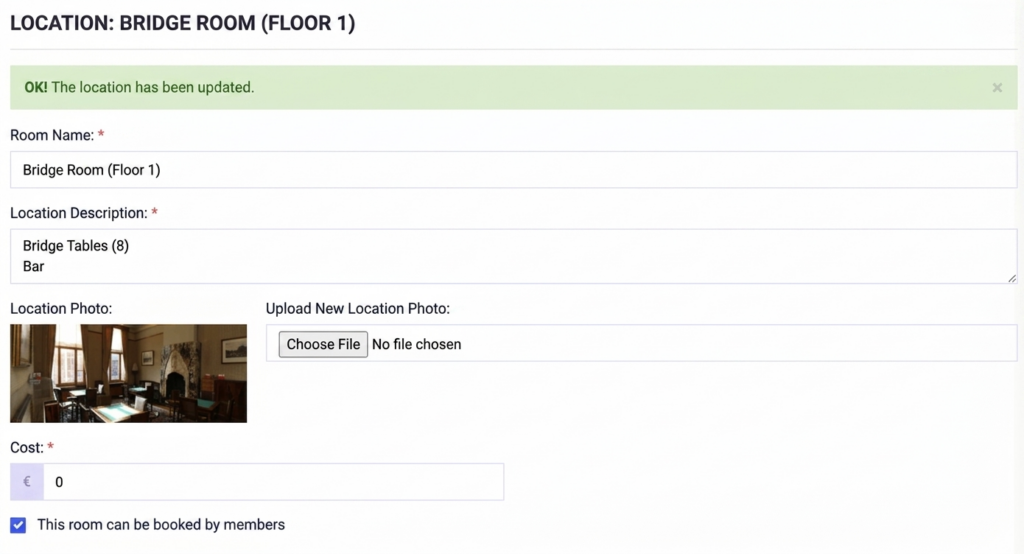
Some of our affiliated clubs have a permanent location. Location Management handles the management of reservations for the various venues, including follow-up, allocation, and integration with billing for members and other users.
With the following features:
Setup of the various locations
Reservations: for Activities and External Reservations
Following the milestone in early 2026 with the launch of Authority Management and the introduction of Klubs V3, we’re keeping the momentum going. This April release brings a mix of “under-the-hood” optimizations and powerful new features designed to further streamline your club’s operations.
Online Store: Merchandise Management
Klubs now includes a fully integrated online store for selling club merchandise or “Regalia”.
Product Management: Easily manage products, categories, images, and prices.
End-to-End Process Management: Manage the entire process—from financial transactions to delivery and follow-up—all within a single interface.
To support the management of modern associations and federations, we have launched a comprehensive role management system.
Define Standard Roles: Create a standardized set of roles (e.g., President, Treasurer, Secretary) that can be consistently applied across your entire federation or club network.
Assignment to Member Profiles: Link these roles directly to individual member profiles for greater organizational clarity.
Centralized Approval: Larger organizations can now implement an approval process for roles assigned at the sub-club level.
Coming soon: In our next update, you’ll be able to send messages tailored specifically to these roles with just one click.
Line Selector
To improve navigation within long lists (members, orders, or activities), we have introduced the Line Selector.
Bulk Actions: Easily perform actions on multiple records at once.
Filtered Views: Perform bulk updates or apply specific filters with just a few clicks, drastically reducing administrative time.
We have completely revamped our download engine. By switching from the previous CSV format to a native XLS structure, data extraction has become more robust.
Robust Structure: Eliminates issues with line breaks or broken formatting in large datasets.
Clean Encoding: Special characters and symbols are now preserved perfectly.
Native Compatibility: Open files directly in Excel without needing to perform manual steps such as “Import Data” or adjusting delimiters.
Encoding
To support our increasingly diverse and expressive community, we have upgraded the platform to UTF-8 encoding across all editors.
Special characters: Full support for international characters and symbols.
Emoticons: You can now use emojis in your messages and event descriptions to give your club’s communications a modern, personal touch.
Financial Follow-up: more efficient payment follow-up with a handy slider (for Activities and Memberships) Support – Financial follow-up
Mail Service: Integration of DNS adjustments for high deliverability of club communications Support – Mail Setup
Advanced Settings: In addition to the regular settings for each functional module, there is now also a section with Advanced Options Support –Corporate Members,Multi-club, etc.
Subscriptions: For associations that work with lesson series or subscriptions Support – Subscriptions
Manners: specific treatment of manners (title, interjection) Support –Manners
Notifications upon deregistration: now with a separate email outside or within the cancellation period Support – Activities Communication
And many more "under the hood" updates and releases, such as
#shortcodes: addition of input fields (#price_members, #activityid, etc., especially for activities
Download: expansion and review of downloads: activity list, member list, memberships, etc.
Activities Type – External Organization: no RSVP buttons, other practicals
Test Emails: option to send test emails to specific email addresses
Privacy Statement: creation of a specific club version
General Terms and Conditions: option to publish the general terms and conditions
VAT Settings: additional option – Not subject to VAT
Activities Additional Questions: full Edit, delete, change order
Preview 2026
In 2026, planned and certainly implemented (given that it is already being tested in part at a few try-out clubs).
Billit Integration of Billit for Peppol invoices, and also as a gateway to around 40 accounting packages.
Online Payments Expansion of Online Payments with Wordline Saferpay and Wordline Direct (GoPay/Ogone)
umbrella association Further expansion with umbrella activities, federation corporate structure, member reporting,
Authority Development of Roles and Authorities for Federation/Sub Club, later than per operational functions
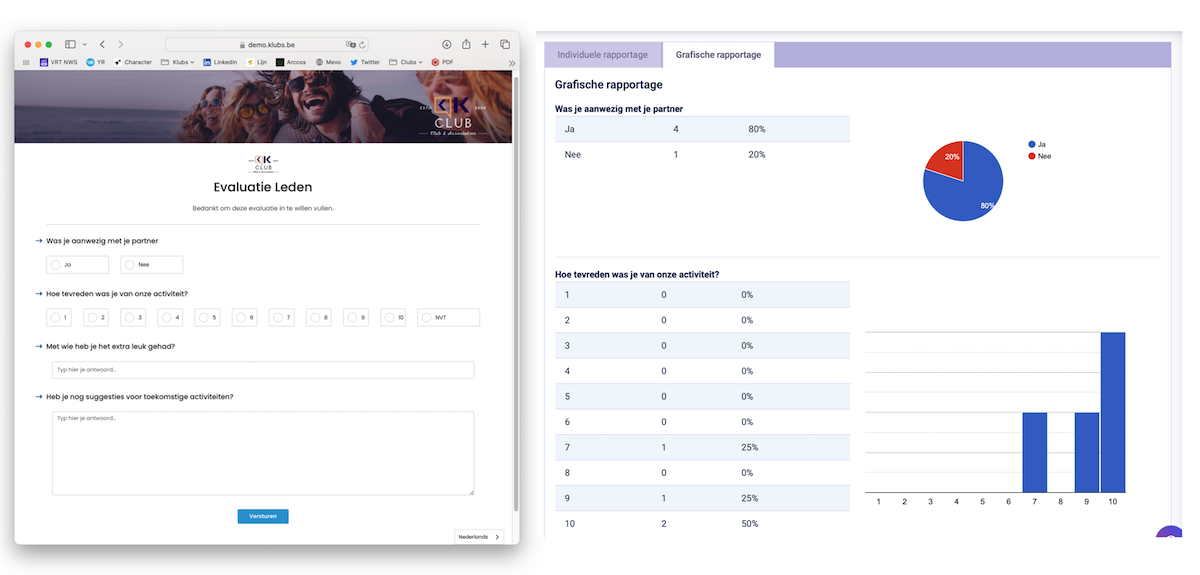
Surveys The evaluation function for activities is now a separate module, with separate communication, target groups, etc.
Webshop A full-blown webshop for members, with complete financial processing.
participation management, particularly attendance registration via QR code or ID
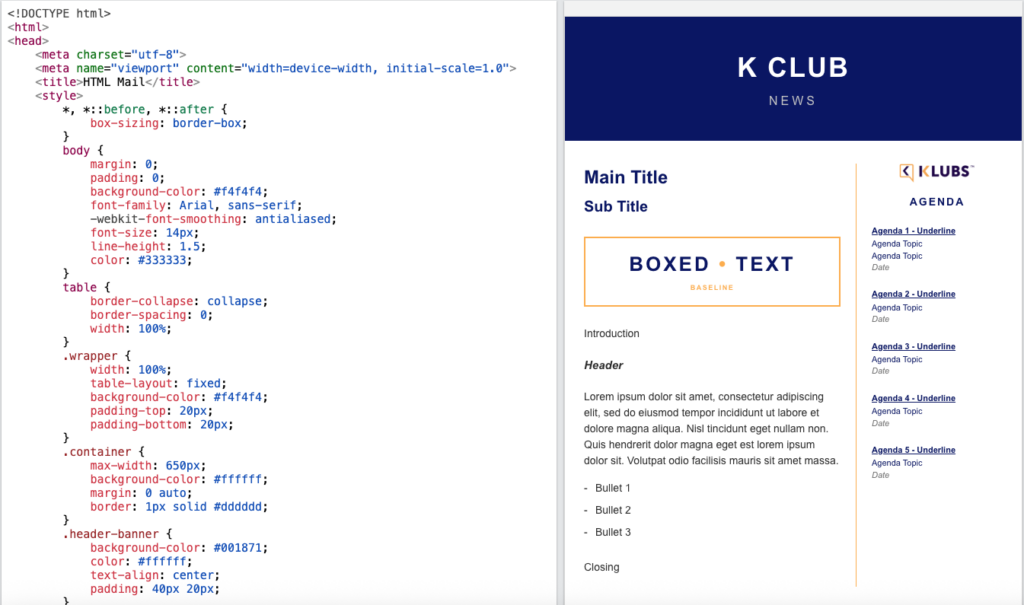
Newsletter Customizing the editor to integrate full HTML formatting
And also some Under the Hood updates
Hosting: on a separate Klubs server, for greater security and stability
Server: upgrade of the server configuration (LEMP stack)
Email reporting: detailed reporting of email communication, view of emails actually sent
Club reporting: member location via Google Maps, age pyramid, etc.
We are delighted to announce that all planned upgrades for next year will remain available at the same license costs as before. Our gift to you for the new year.
TrustPilot Review
Have you had a positive experience with Klubs? Let us know by leaving a review on TrustPilot. It helps us to continue growing and further optimize our software for associations like yours. Your opinion is therefore very important and useful to us. –Please leave a review onTrustPilot.
The first new release in 2025 was the Media Library.
The Media Library brings together the different types of media from Clubs to then offer to members. The already previous Activity Media (photo reports) but also club media (documents, video, ...) and newsletters (via the Mail Campaigns).
Newsletters
We recently finalized the Newsletters functionality:
Indication of a Mail Campaign as a Newsletter
After sending availability of the link
Inclusion in the Media Library
To activate the Media Library:
Setup via Administration: Media Library menu
Then publish via: Settings / Modules - Media library for photo & video
To make known the Activities that are open to non-members, there is the Public Listing. This then automatically adopts the respective activities for publication on a public website or social media.
By 2025, planned and certainly implemented (seen now already partly in test at some try-out clubs).
Media Library A separate library (images, documents, videos) for club media, activity reports, meeting minutes, newsletters, ...
Activities Listing External listing (for public site, social media, ...) with the activities. Management of these public activities, public listings
Registration module Further checks and controls on: guests, waiting lists, save the date, historic pricing, ...
Webshop A simple webshop (for club clothes, specific material), for members, with full financial handling
And especially the additional functionalities already available now at the same license cost as the starting platform of previous years. Or more for the same money.
All on our support site, via the links provided above.
And associations evolve, so please review this topic, and any adjustments/set-up records to admin@klubs.be.
Mail Delivery - Users
Quite a few clubs have to deal with members not getting emails to arrive in their mailbox. Here is a brief explanation and also a Long Read around this issue. (Which is usually not located at the club set-up or Clubs).
Great news! The latest KLUBS release, just under 2 months after the previous one, now includes even more features, with the goal of less administration, and more focus on members.
Evaluations
And the focus on members is now really implemented in Klubs with the Survey functionality. Isn't it extremely interesting for club operation to be able to conduct an evaluation with members present after an activity.
And therefore a comprehensive evaluation functionality:Different evaluation forms (for different audiences)
Member or public evaluations
Limitation (per member) in terms of number of evaluations
Extended question (Text, Number, Yes / No, Choice, Range)
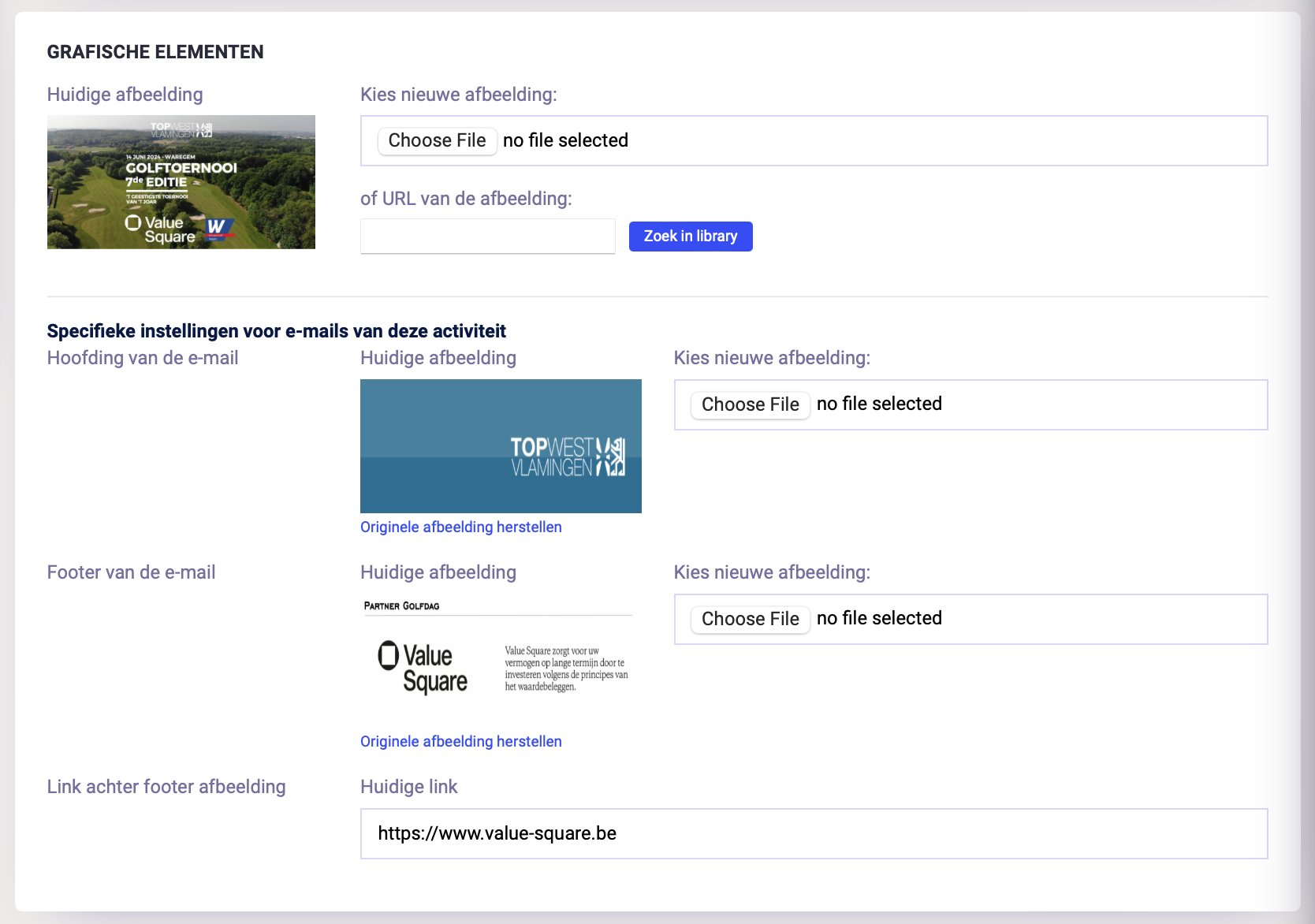
At Klubs, we are certainly mercantile and attentive to your club's finances. One possibility here is Sponsorship.
To give these sponsors even better visibility, it is now possible to customize per activity the mail header, footer (with sponsor logo) and sponsor link.
Onboarding
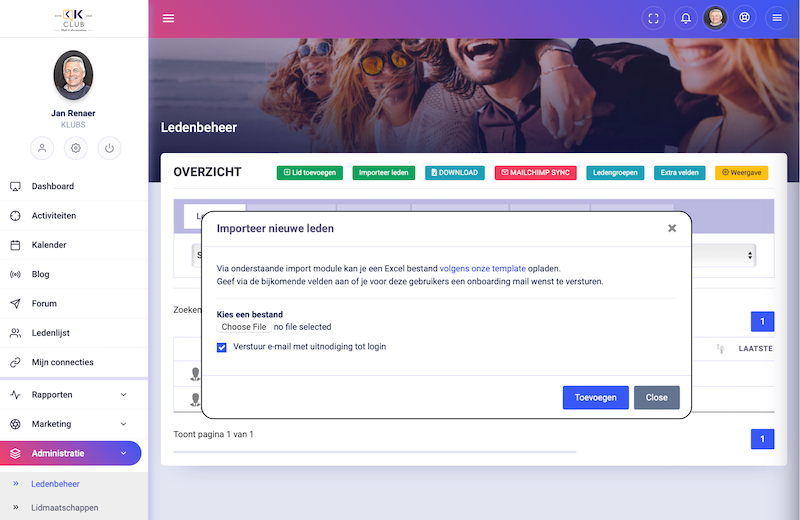
A bulk import of members into Klubs can be notified via the Member Import function.
With following features:
Members / Prospects: import of both Members and Prospects
Profile info: import of profile info of members
Memberships: automatic creation of Memberships (period, pricing, ...)
Member groups: multiple Member groups per member possible
In anticipation of another major release (Enrollment Activities, Onboarding, Surveys) here are some spring releases.
Enrollment - Additional Person
When enrolling an additional person (after an earlier enrolment of the member), this operation went somewhat wrong. The member here, usually, enrolled himself or herself.
The functionality behind this button has now been changed and clarified, see screenshot:
Information Top indication of already previous registration: member and guest.
Additional Person Below that is the functionality for the additional enrollment.
Meta-Fields - Sort
With the sort option, you can now also arrange the meta fields to make the query more clear. Possibly, by extension, set up a structure of the additional fields.
Grace Period
For a number of clubs, the membership period runs until the end of the business year (Dec. 31). But renewals are not created until the new business year (for a correct accounting date). This means that members can no longer access the platform the day after their membership expires, then in the new business year.
Therefore, a Grace Period setting was added at the club level. This still allows members to access the platform during this interim period until membership renewals were implemented by the admin.