In addition to Mollie, Klubs offers a few other options for your online payments:
Mollie A modern, tech-driven payment service provider primarily targeting (small) businesses (VAT number). No setup fees, no subscription fees—just a flat fee per successful transaction
WorldLine SaferPay Global Corporate Payment Service Provider. Monthly subscription combined with transaction fees.
WorldLine Direct The latest generation from WorldLine (formerly Ingenico / Ogone) Also suitable for non-profit organizations.
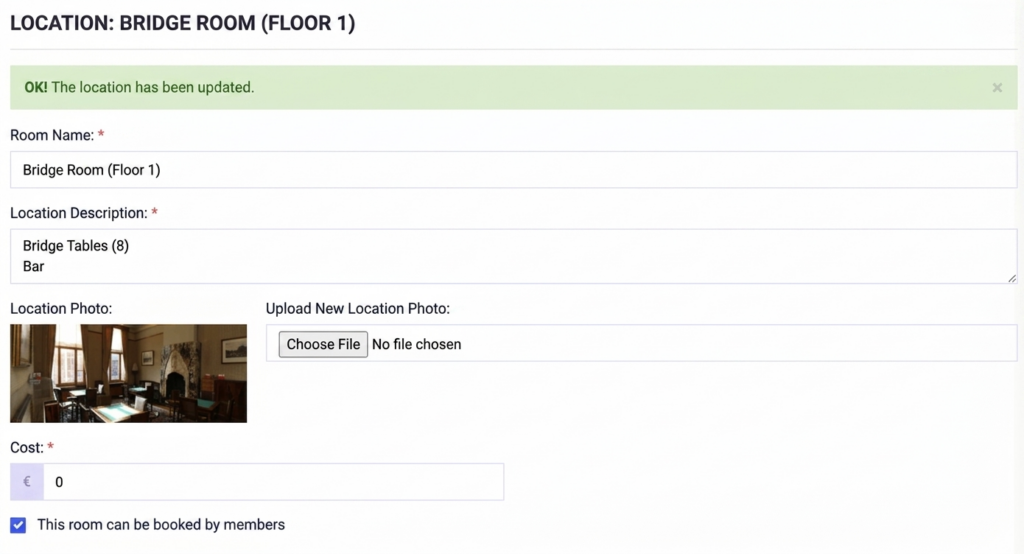
Some of our affiliated clubs have a permanent location. Location Management handles the management of reservations for the various venues, including follow-up, allocation, and integration with billing for members and other users.
With the following features:
Setup of the various locations
Reservations: for Activities and External Reservations
To support the management of modern associations and federations, we have launched a comprehensiverole managementsystem.
This is a separate module and must therefore be enabled in the Settings.
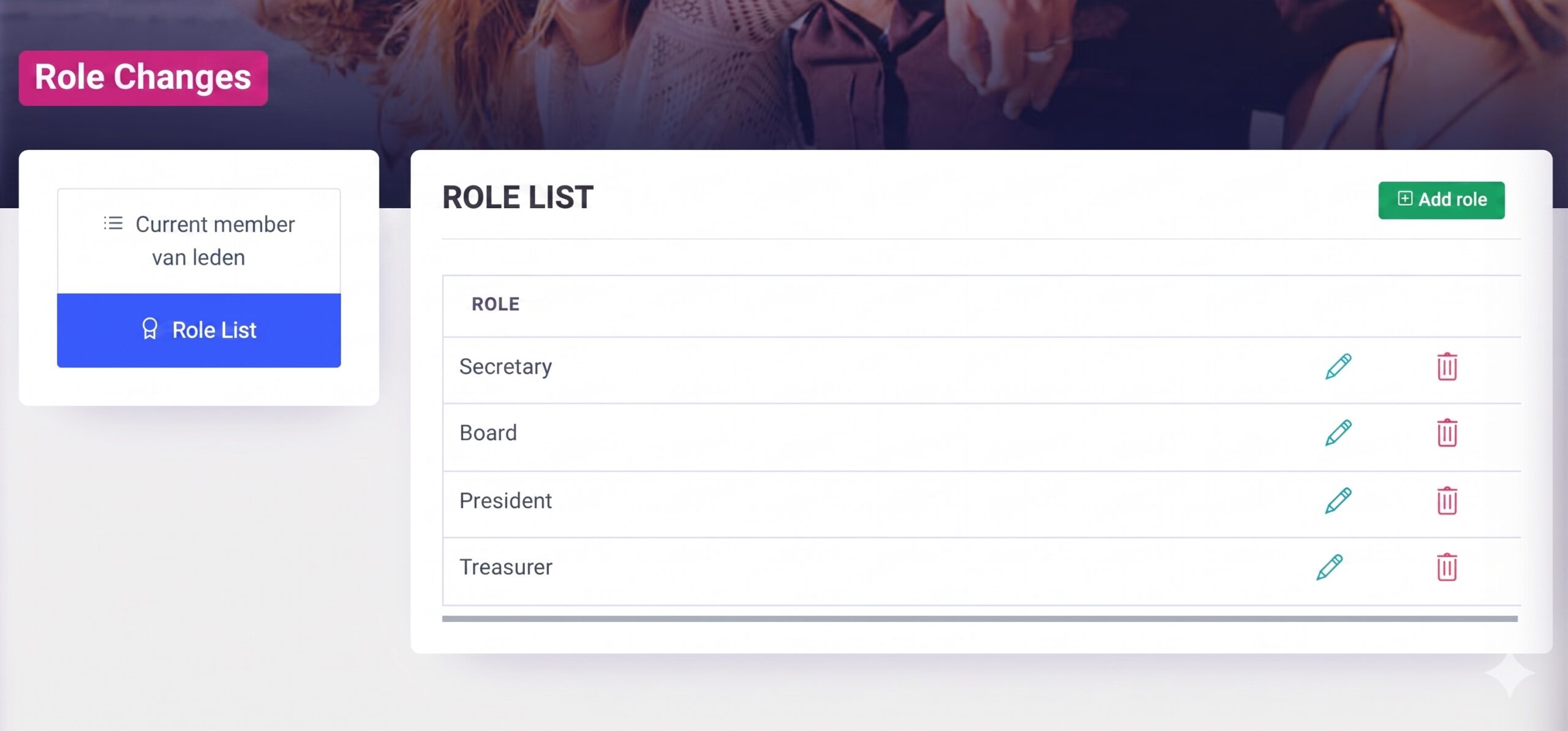
Defining Standard Functions
Create a standardized set of roles (e.g., President, Treasurer, Secretary) that can be consistently applied across your entire federation or club network.
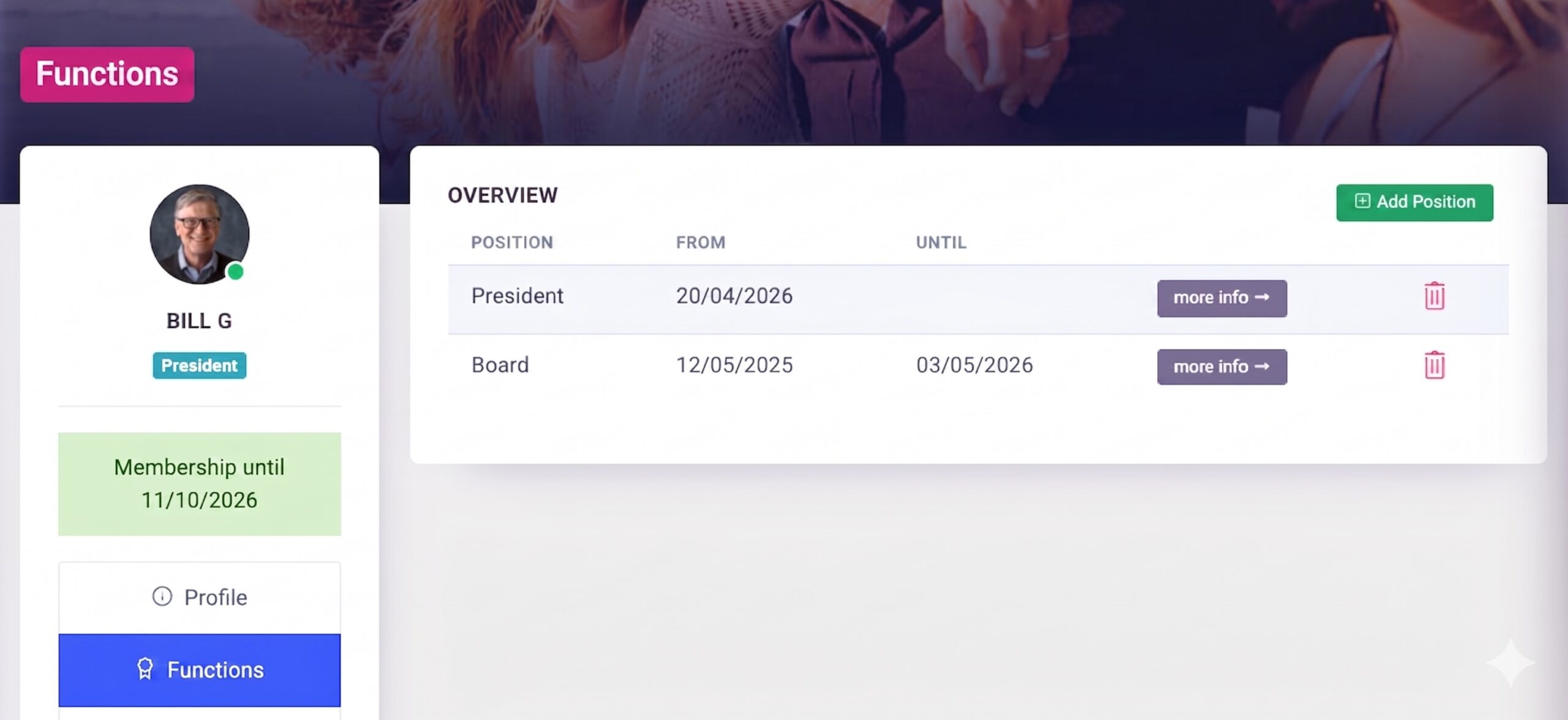
Assignment to Member Profiles
Link these features directly to individual member profiles for greater organizational clarity.
For each assigned role, specify the start and end dates;
Option to include a comment field (including for approval, if applicable)
You can view the various (active) roles just below the photo on the profile
Centralized Approval
Larger organizations can now implement an approval process for roles assigned at the subclub level.
Enterprise-level functionality for approval/rejection
Option to add text to the comment field
Overview of the Job List and all current positions
Release – Coming soon
In our next update, you’ll be able to sendmessagestailored specifically to these roles with justone click.
Following the milestone in early 2026 with the launch of Authority Management and the introduction of Klubs V3, we’re keeping the momentum going. This April release brings a mix of “under-the-hood” optimizations and powerful new features designed to further streamline your club’s operations.
Online Store: Merchandise Management
Klubs now includes a fully integrated online store for selling club merchandise or “Regalia”.
Product Management: Easily manage products, categories, images, and prices.
End-to-End Process Management: Manage the entire process—from financial transactions to delivery and follow-up—all within a single interface.
To support the management of modern associations and federations, we have launched a comprehensive role management system.
Define Standard Roles: Create a standardized set of roles (e.g., President, Treasurer, Secretary) that can be consistently applied across your entire federation or club network.
Assignment to Member Profiles: Link these roles directly to individual member profiles for greater organizational clarity.
Centralized Approval: Larger organizations can now implement an approval process for roles assigned at the sub-club level.
Coming soon: In our next update, you’ll be able to send messages tailored specifically to these roles with just one click.
Line Selector
To improve navigation within long lists (members, orders, or activities), we have introduced the Line Selector.
Bulk Actions: Easily perform actions on multiple records at once.
Filtered Views: Perform bulk updates or apply specific filters with just a few clicks, drastically reducing administrative time.
We have completely revamped our download engine. By switching from the previous CSV format to a native XLS structure, data extraction has become more robust.
Robust Structure: Eliminates issues with line breaks or broken formatting in large datasets.
Clean Encoding: Special characters and symbols are now preserved perfectly.
Native Compatibility: Open files directly in Excel without needing to perform manual steps such as “Import Data” or adjusting delimiters.
Encoding
To support our increasingly diverse and expressive community, we have upgraded the platform to UTF-8 encoding across all editors.
Special characters: Full support for international characters and symbols.
Emoticons: You can now use emojis in your messages and event descriptions to give your club’s communications a modern, personal touch.
For the Certificates, a simple setup in the Advanced Settings:
Background – " " certificate, format: jpeg, 1920 x 1080px
Header – or blank if pre-printed e.g., Certificate Membership
Certificate text The actual text of the certificate, using the following shortcodes: – Association – #club_name – Membership type – #membership – Membership start date – #start_date – Membership end date – #valid_until – Company – #company
Text color for Heading, Name, and Info text: with multi-color selection
Use
The valid certificates can be downloaded from the member's profile. (yourclub.klubs.be/myprofile). Submenu= My memberships
In Klubs, you work with management mandates. These allow you to determine exactly who is allowed to perform which actions within the club environment. Instead of manually checking each setting, you can use predefined roles to quickly assign the appropriate rights to your board members.
Management mandates
A mandate is a collection of specific rights (authorizations). Klubs offers the following standard mandates that correspond to the functions within a club board:
Available Mandates
In the Administrator Roles menu, you can choose from the following options:
Mandate
Focus
Key rights
Club management
Complete control
Access to all settings, user management, and integrations.
Coordination
Day-to-day management
Management of members, activities, and communication.
Member Management
Secretary role
Creating members, managing memberships, and changing profiles.
Activities
Event manager
Creating activities, tracking attendance, and communication.
Financial
Treasurer
Invoicing, financial reports, and membership fees.
Consultation
Read-only / Access
Only consult members and reports without making any changes.
Roles
These are the rights at menu level or even functions for a specific role. These are divided into the major modules of a club management platform.
Member Management
Activity management
Operational
Marketing
Report
Setup
Reporting
An overview of the assigned roles within the institutions. (Only for the Club administrator or those with the User Management role).
Here all departments, in addition to the multi-club, are taken over again as a corporate entity.
Departments – Officials
The department officials (Chairmen, Secretaries, Treasurers, etc.) can then be added as members at this main level within their Department (Corporate Structure).
This provides a clear picture of the Departments within the Federation structure.
Departments – Functions
Additionally, Member Groups can be set up to use the different functions within the departments separately for communication.
Use
A setup within the Main club with Corporate structure and Member Groups gives the following possibilities:
overview of the board members per department
grouping of the functions via Member Groups, for separate communication
additional members, for example for the General Meeting of the Federation
Communications
The Federation also offers the opportunity to communicate with all affiliated members.
Reporting
Specific reporting, then for the Membership types, linked to the Federation.
The Divisions may organize their own activities for their own members. Activities organized by the Federation or by the Divisions may be made available to all divisions.
And this on two levels:
Federal Activities: organized by the Federation for all departments
Inter-Department: organized by one Department, available to all departments
This can be done by indicating this option for each activity (in the Activity settings).
The Activity will then appear in the Activity calendar for the various departments, with an indication of its origin: "Organized by another Department" or "Organized by Federation."
If, within a federation, the departments can consult the members of other departments (see Federation Settings), these will appear in the Member List.
User environment
For members who belong to different departments, there is a handy selector at the top of the menu for quickly switching between the different Multi-clubs.
Identification is done by using the same email address within the different clubs.
Federation – Membership Types
Within a federation a specific Membership type can be set up, linked to the federation level:
Membership type at department level, with access to Federation services
Indication of the contribution for the umbrella association