To make known the Activities that are open to non-members, there is the Public Listing.
This then automatically adopts the respective activities for publication on a public website or social media.
Listing
Full Support info - Activities Non-Members


To make known the Activities that are open to non-members, there is the Public Listing.
This then automatically adopts the respective activities for publication on a public website or social media.
Full Support info - Activities Non-Members
Review 2024
In 2024 anyway, back some new features and additional integrations:
Preview 2025
By 2025, planned and certainly implemented (seen now already partly in test at some try-out clubs).
And especially the additional functionalities already available now at the same license cost as the starting platform of previous years. Or more for the same money.
All on our support site, via the links provided above.
In exceptional cases a Logout may be necessary.
Logout – https://yourclub.klubs.be/index.php?action=logout
Where yourclub is replaced by your Klubs domain name.
Usually this is only necessary if the user has not logged in often and several software releases have been rolled out in the meantime.
Maybe not really a Release topic, but interesting info for both users and admins around an important club topic, namely mail communication.
There are two possible options:
Full info - Mail set-up
And associations evolve, so please review this topic, and any adjustments/set-up records to admin@klubs.be.
Quite a few clubs have to deal with members not getting emails to arrive in their mailbox. Here is a brief explanation and also a Long Read around this issue.
(Which is usually not located at the club set-up or Clubs).
Full info - Mail Delivery Users
A Long Read around mail delivery with an approach from the club, the sender - Clubs, and the received, the members.
Full info - Mail Delivery Admin
Below topic also in a Long Read, possibly to be forwarded to IT responsible or interested members - Clubs Efficient Email Communication
Previously, the Mail Set-up within Klubs is also important in this context:
- Klubs Mail Set-up
Within Klubs, e-mail is the form of communication to members.
For sending the mails from Klubs we work with a transactional mail system. This separate service guarantees high delivery and then also provides the information around tracking and tracing.
Mail deliverability, also known as mail deliverability, refers to the ability of an e-mail message to be successfully delivered to the recipient's inbox, rather than in the spam folder or not arriving at all. This process involves several factors at different actors
Background info
Here are a few links around this issue:
Quality of the email list
Given member lists, the mailing list should be fairly reliable in terms of mail requirements. Regularly check the mail addresses of your members and certainly of your prospect lists.
Mail set-up
Spam filters also pay attention to the mail set-up, then the from and reply-to mail address.
Formatting the mail
Many identical mails are to be avoided. Personalization is therefore appropriate.
And especially to be avoided is the use of the Klubs mail feature for SPAM sensitive mails and subjects:
For the content of the mail are to be avoided:
With the Klubs mail editor you have many possibilities:
Mail Interaction
For Mail Server Reputation (see also below), what happens to emails that are received is important.
If there is a lot of interaction with emails by recipients, think opening the email and clicking through on links, then this increases the reputation of the email server. Conversely, the reputation goes down when there is little interaction. The reputation also lowers when recipients of the e-mail mark it as SPAM.
This makes paying attention to the mailing list when sending a newsletter very important. You want as active a file as possible; the addressees should really be interested in the emails you send. That ensures as much interaction as possible and thus a positive effect on reputation.
Therefore, from that point of view, sending a newsletter with the same content multiple times is highly undesirable.
Formatting the mail
Essential is that someone can unsubscribe from a newsletter. If you hide the ability to unsubscribe a bit, SPAM filters often catch on.
By default, Klubs provides an Unsubscribe option.
Reputation of the sender
This is about the online reliability that the e-mail server has, from which e-mails are sent. Receiving e-mail systems (Google, Microsoft Hotmail/Outlook, Telenet, ...) track the reputation of e-mail servers. When the reputation is high, e-mail is simply delivered to the inbox. If it is low, e-mail may end up in the SPAM box.
It may even cause an email server to be blacklisted and thus not delivered at all.
The reputation of a sending email server is built up and thus changes over time.
To build reputation, the key is to incrementally increase the volume of emails sent from a server.
Within Klubs, we work with an external, reliable, mail handler, and continue to continually protect this reputation.
Settings at the sending mailsever
Only at a specific club shipping address, such as president@yourclub.be
The components involved
Spam settings
Mail not arriving has a lot to do with spam settings at the recipient.
Outlook, Hotmail, almost all Microsoft mail accounts, have a very high spam sensitivity. In addition, the problem of checking with company accounts or Providers with specific Anti-Spam filters.
Here is some background info around various mail delivery issues:
End User
For resolution of Mail Delivery issues some suggestions for the end user:
Mail handling server
In exceptional cases, it is necessary to white-list the sender mail address with the server of the received. If you deem this necessary, contact us to speak with your Domain Name Manager
Here the following standards are then considered:
DMARC: (Domain-based Message Authentication, Reporting and Conformance)
Tells you what to do when you receive anomalous emails.
SPF (Sender Policy Framework)
This standard specifies who is allowed to send emails on your behalf;
DKIM (Domain Keys Identified Mail)
Provides an authentication stamp on your e-mail;
Klubs is a Membership platform.
Registered members have a login, can register themselves for activities, as well as register guests, connect with other members, view their contact info, in other words use their Membership.
For certain activities it is necessary or useful to give non-members the opportunity to register as well. This can be done in Klubs via a public link.
In the settings of an activity you can choose to make the activity accessible to public subscriptions. A public link is then generated for this purpose.

This Public link (for example - https://demo.klubs.be/register/index.php?id=38) can be forwarded in a Mail Campaign to prospects or in a personal mail or possibly even published on social media.
On this public link, there is then the opportunity to register the registration.

The registration is complete with the personal details, as well as the additional questions(meta-fields) and the billing info.
To make known the Activities that are open to non-members, there is the Public Listing.
This then automatically adopts the respective activities for publication on a public website or social media.
The Public Listing is a separate Module and therefore must be activated:
Admin / Settings / Modules
Set-up is simple by designating on the activity in question as to be published on the Public Listing.

In doing so, the link can then also be copied for use on a public website, social media, mailing, ...
These Activities are then displayed, in chronological order (possibly by Activity Category). With indication of Date / Time, Location, Activity Image and the Short Content.
There is a button for more information.
Here comes additional information: Full Text and Google Maps indication of activity location.
If the activity at the Activity Institution is designated as Public Accessible, the link to register also appears. This then through the Public Registration.
Certain activities, specific to certain member groups, such as board meetings, can also be managed with Klubs.

When setting up the activity, you can indicate the availability for the different member groups.
This restricts visibility on the dashboard or activity list to the members of this member group.

In the activities list you can clearly see the availability of the activities

In the communication you send to the specific Member Group, the limited availability will be clearly indicated.
A separate topic for financial tracking within Clubs then specifically for clubs without accounting integration.
[The use of Financial Tracking is managed through an Advanced Setting]
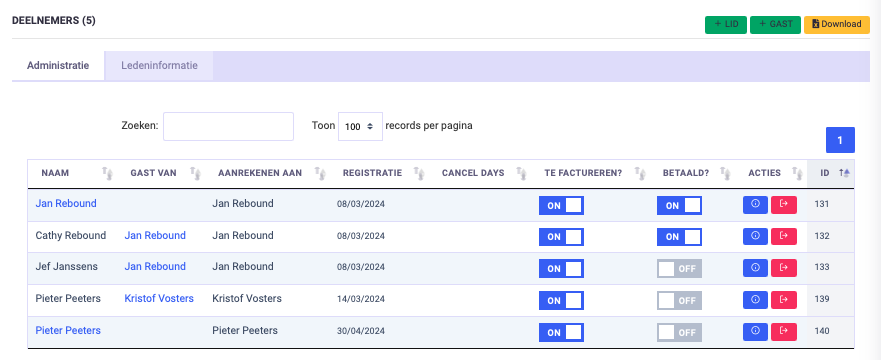
Payment status
A "slider," for easy indications, has been implemented at payments:
Reporting
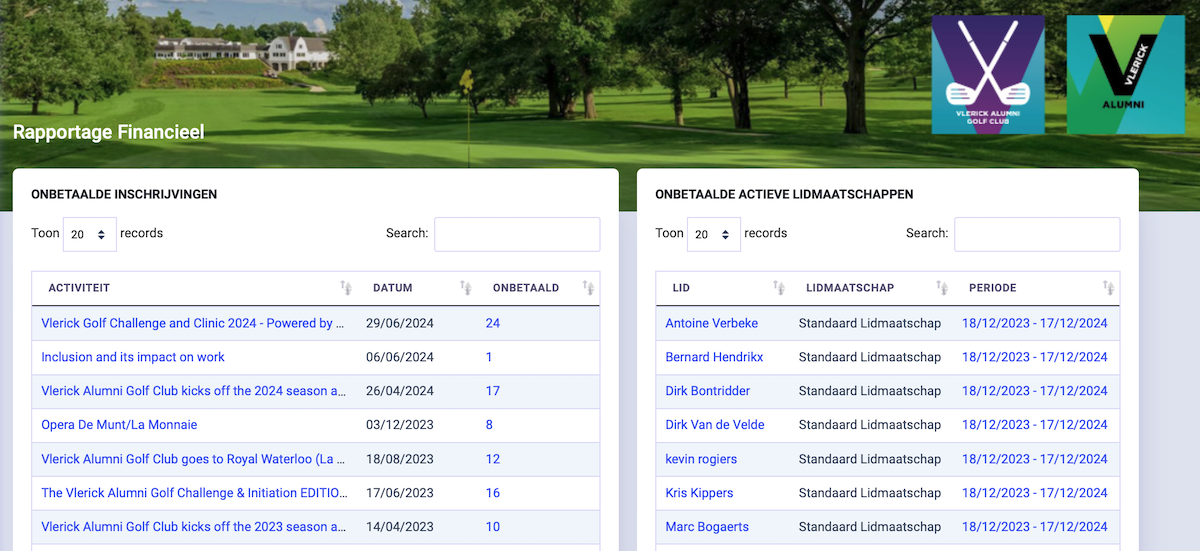
Especially for those Klubs that do financial tracking in Klubs (without accounting integration), there is now also the convenient overview of open items (Activities and Memberships).
Communications
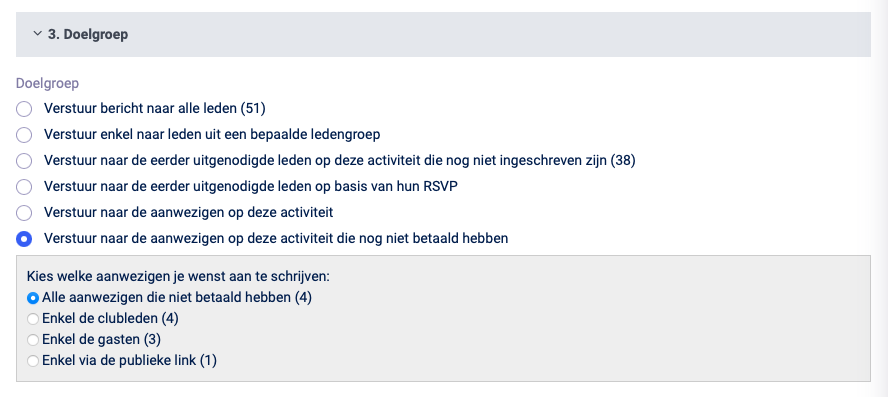
And for full follow-up, the communication was also adjusted, with now separate target group selection of different attendees: Members, guests or registrations through the public link.
Great news! The latest KLUBS release, just under 2 months after the previous one, now includes even more features, with the goal of less administration, and more focus on members.
And the focus on members is now really implemented in Klubs with the Survey functionality.
Isn't it extremely interesting for club operation to be able to conduct an evaluation with members present after an activity.
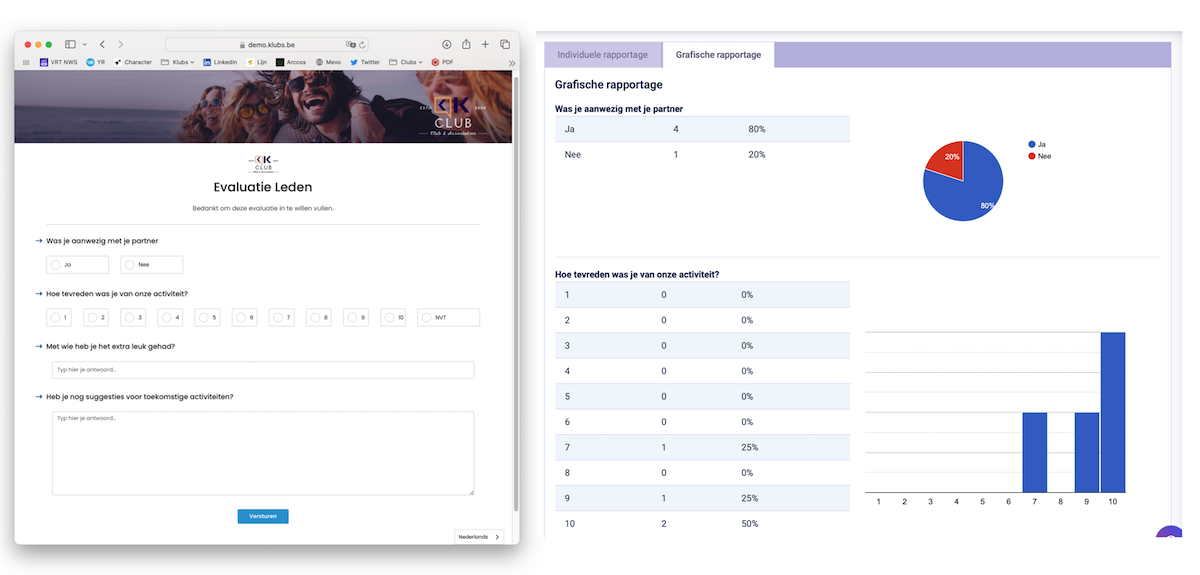
And therefore a comprehensive evaluation functionality:Different evaluation forms (for different audiences)
Test it out, full support info at - Support Knowledge Base
At Klubs, we are certainly mercantile and attentive to your club's finances. One possibility here is Sponsorship.
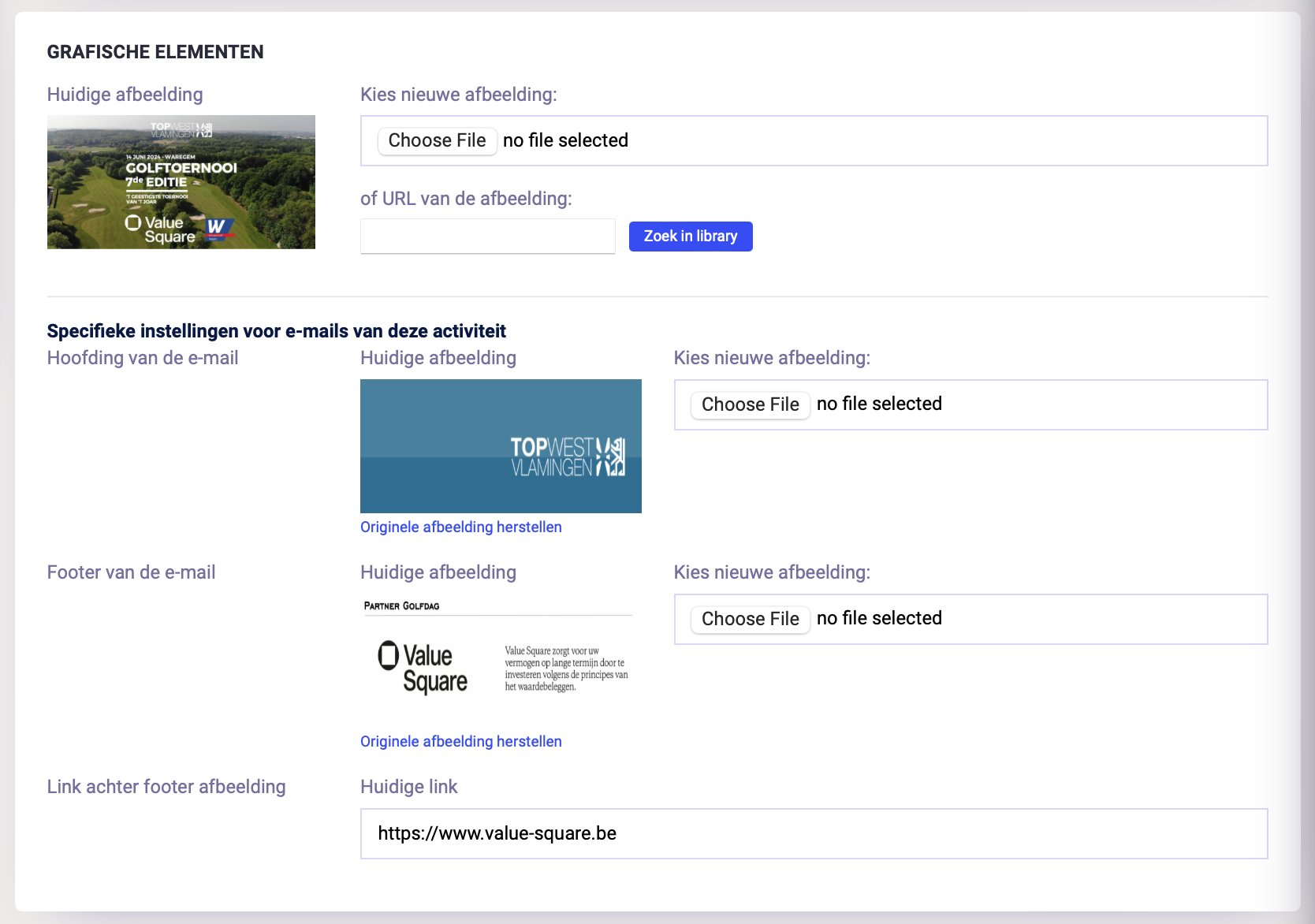
To give these sponsors even better visibility, it is now possible to customize per activity the mail header, footer (with sponsor logo) and sponsor link.
A bulk import of members into Klubs can be notified via the Member Import function.
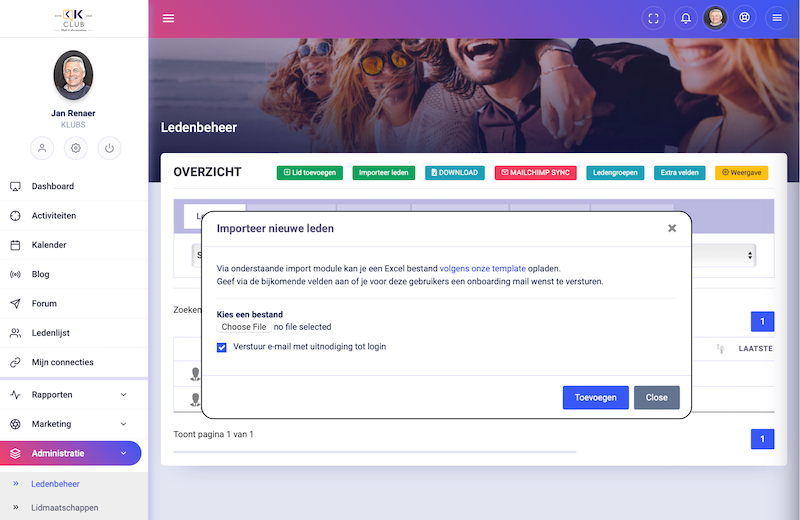
With following features:
In this knowledge base topic, we focus on integration, API and data exchange within the Klubs platform. These features are essential to optimizing your experience with Klubs and leveraging the full potential of the platform.

An Application Programming Interface (API) is a collection of programming commands that call the functions of a program. It is a method that allows two platforms to communicate with each other.
Klubs now has following APIs that are fully supported(updates, releases).
Data exchange within Clubs via downloads, with the following structured data available for exchange via CSV files:
These member-based CRM integrations help improve your workflow and make your organization more efficient.