

Member groups
Now create member groups to manage category of members separately, such as: Board of Directors, Ladies, or specific club interest areas.
Use these member groups among others for separate invitations.
Member groups
Setup
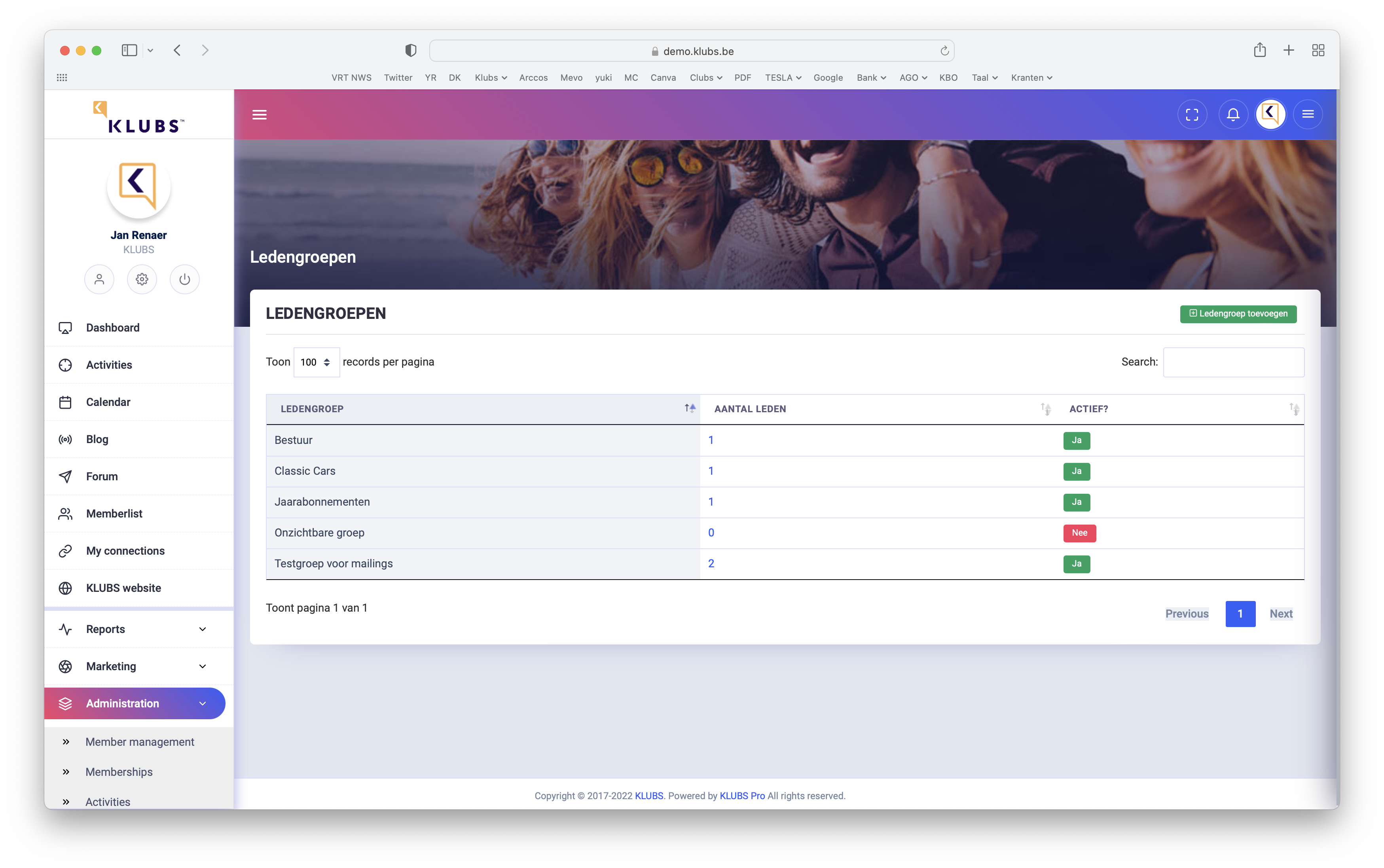
Creating member groups is done within Admin in Member Management.
Here you can also see (click on number) who belongs to this group
Input
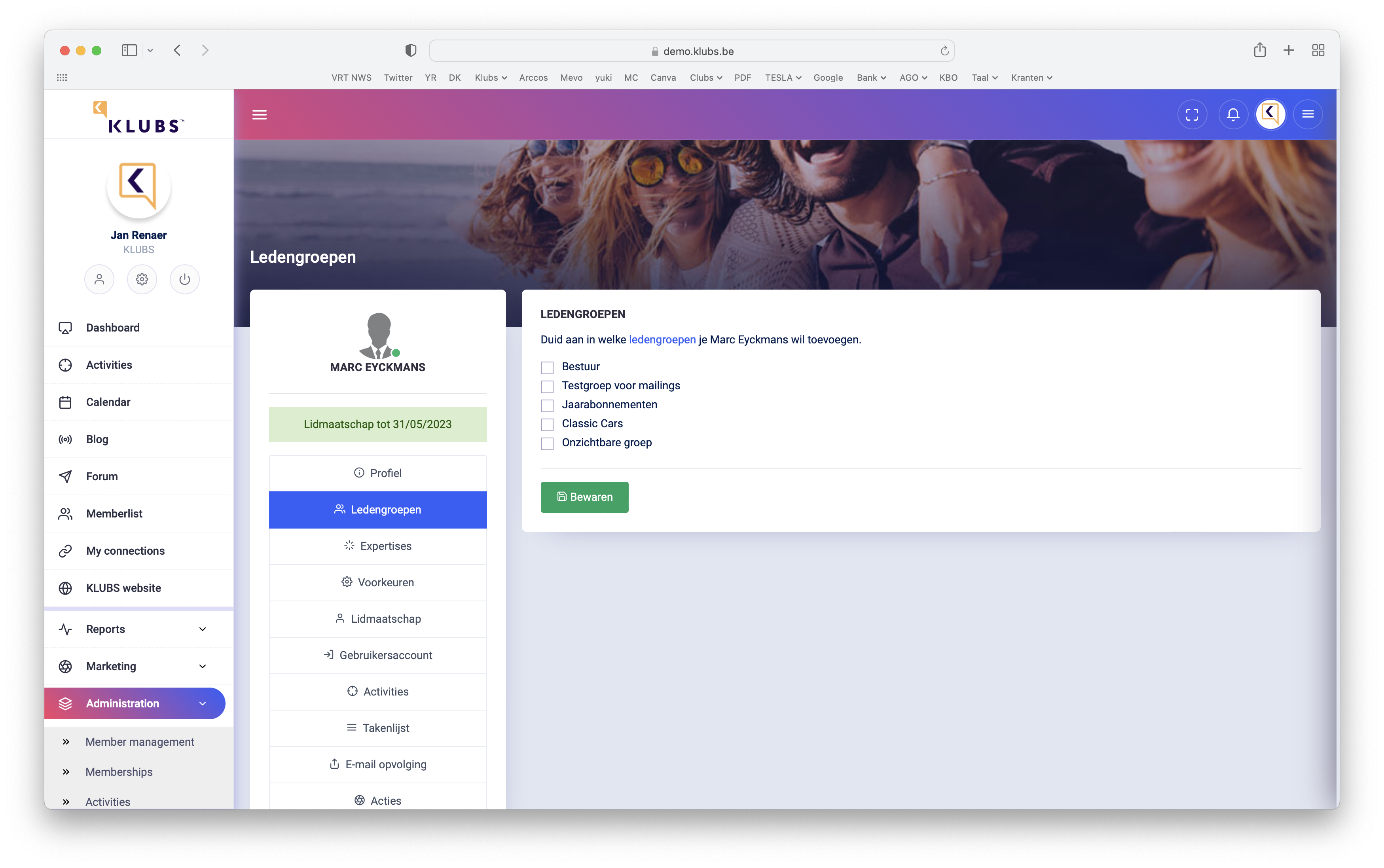
Adding members to a group is done by Admin on the member's profile (Member Management, member selection).
And add member to the specific groups
Use
Member groups review

Ability to search within member groups, within Admin at Member Management.
Above: Filters & search options
Send invitations to specific audiences
In the activities, when creating the Invitation, select the Send invitation / reminder tab
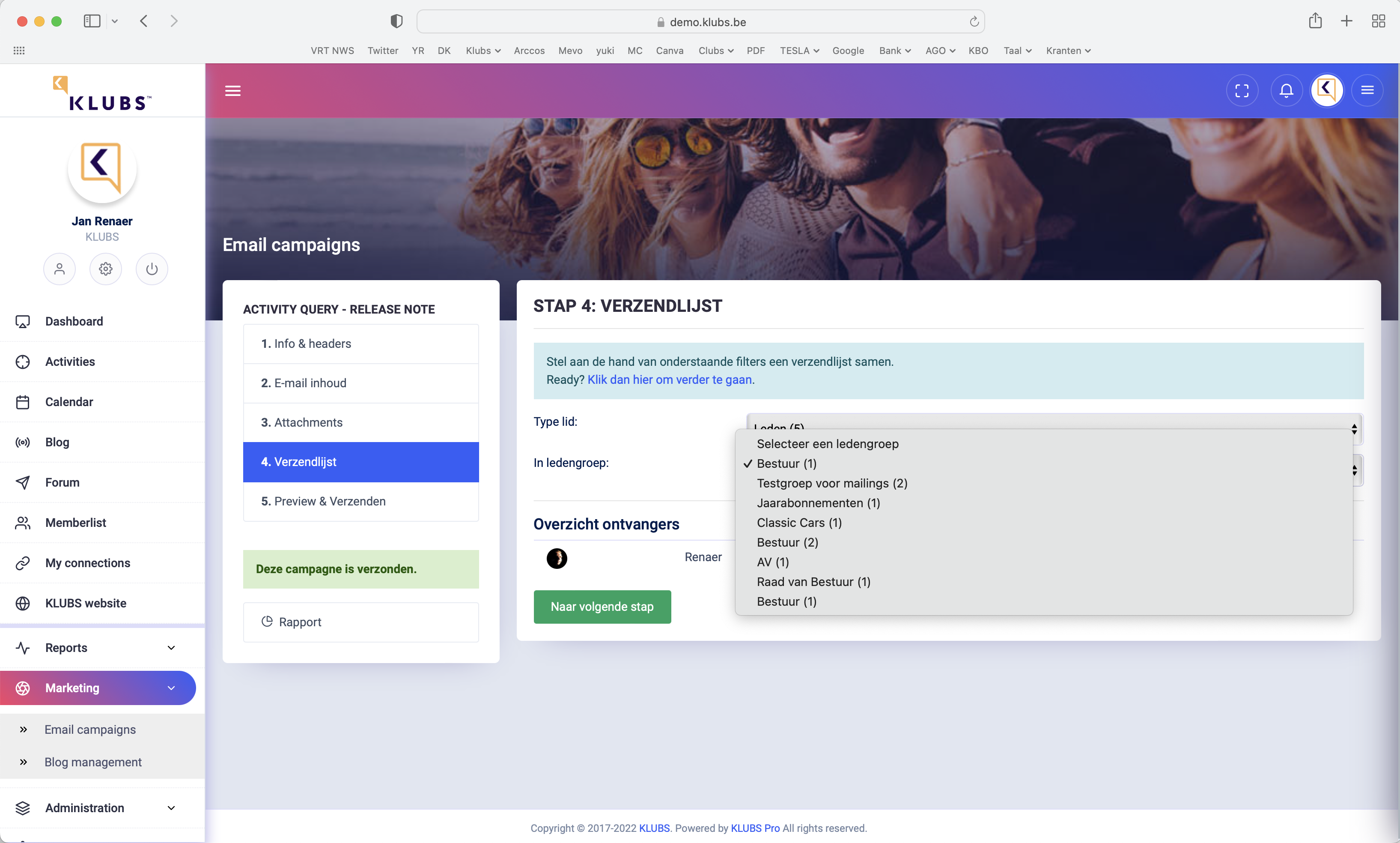
At the bottom of resending, possibility to select a Target Group, possibility to send to only members from a certain member group.
Specific Activities
Certain specific activities, such as board meetings, can also be managed with Klubs.
Setup
Create a regular activity for this with all the info: location, timing, agenda, ...
You do not publish this activity (for all members) but it is available to the specific target group via a separate invitation.

Further procedure:
- In Settings set the indicator to: Published - No
- Also possibly copy the url at the top of your browser - ... klubs.be/activity_detail?id=3
Use
You can now use this activity, only specific is the invitation
- Activity invitation - Target group selection
- Send only to members from a specific member group - Mail invitation or via Mail campaign
- use copied url (...klubs.be/activity_detail?id=3)
Attachments to board meetings can be sent optimally via the E-Mail campaigns - Attachments or attached to the activity via Activity Media.
Follow up
Follow up from the admin, like other activities: add attendees, members and guests, confirmations.
And also attendees can follow up on this, this activity is in their profile - My Activities.