

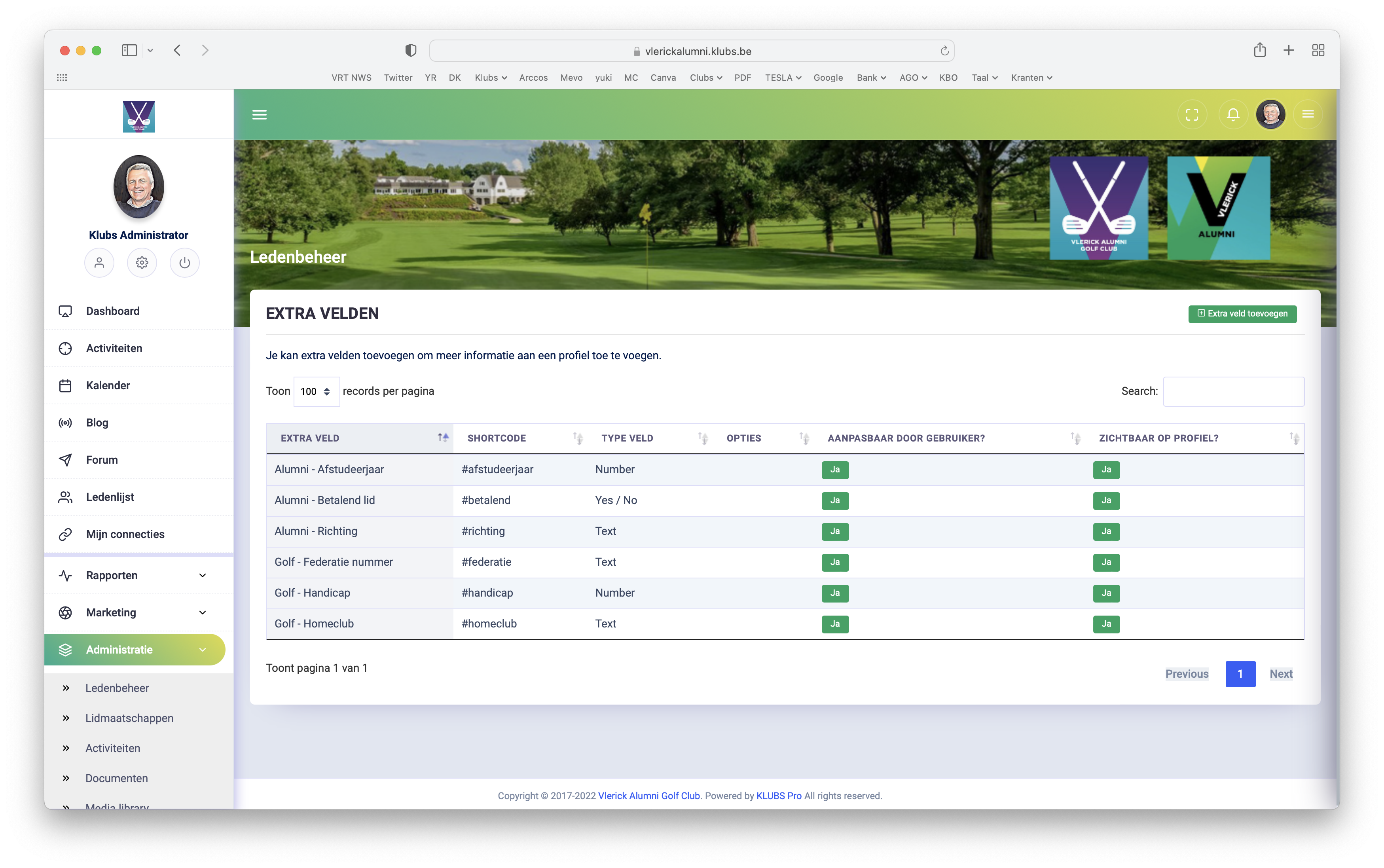
Meta Fields
Meta Fields or free fields allow you to further populate the member profile with info such as fields of interest, preferences, golf handicap, federation number, LinkedIn link, ...
An indefinite number of fields is possible.
And a choice of types: text, number, date
Setup
Field types
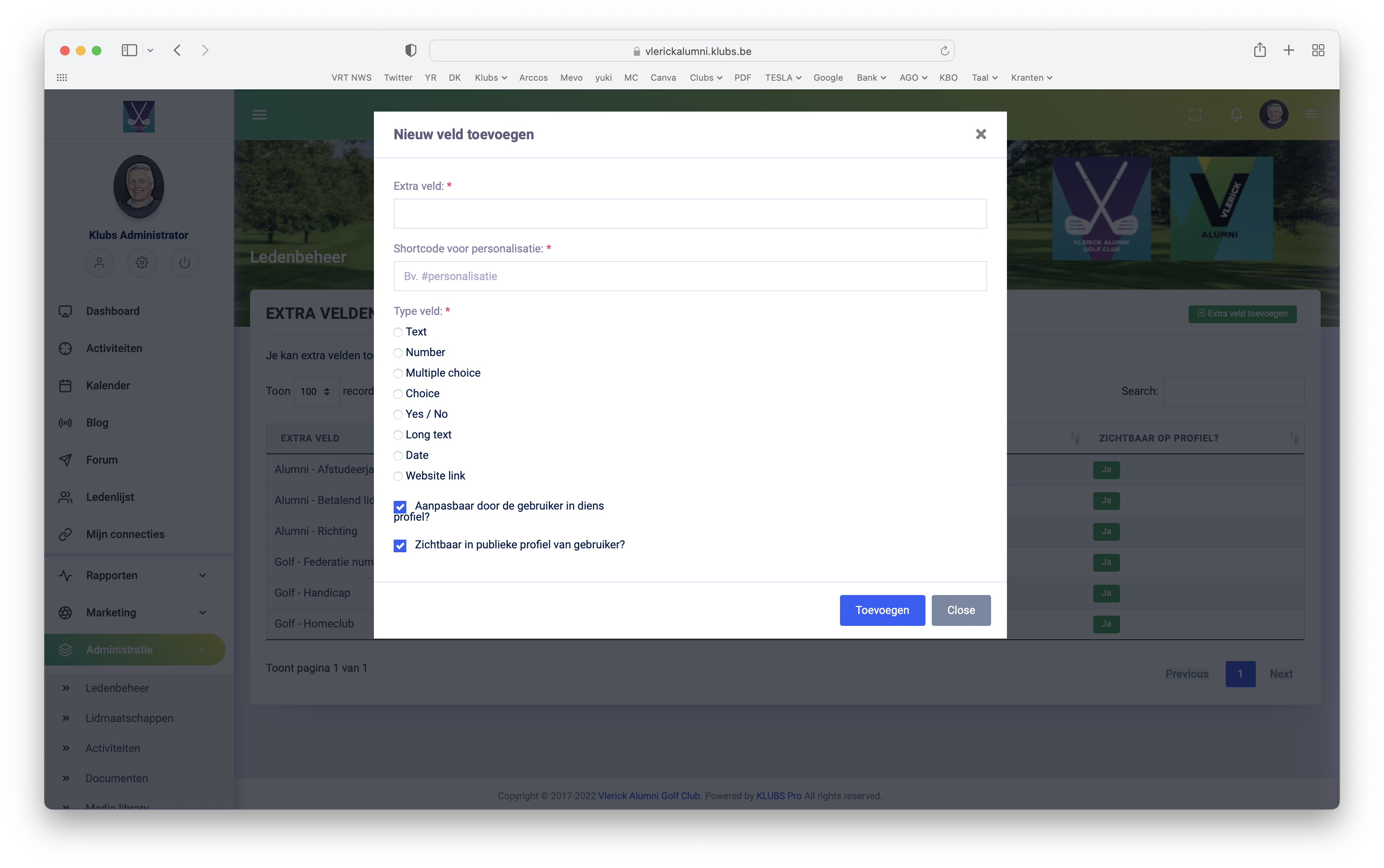
Within administration, at member management, possibility to create Additional fields (Meta fields)
- Text: short text
- Number: number
- Multiple choice: multiple choice, with indication of selection - multiple selections
- Choice: multiple choice, with indication of selection - 1 selection
- Yes/No: Yes/No
- Long text
- Date: date
- Website link: clickable link
With ability to make this
- visible on the profile
- adaptable or not by members.
Display
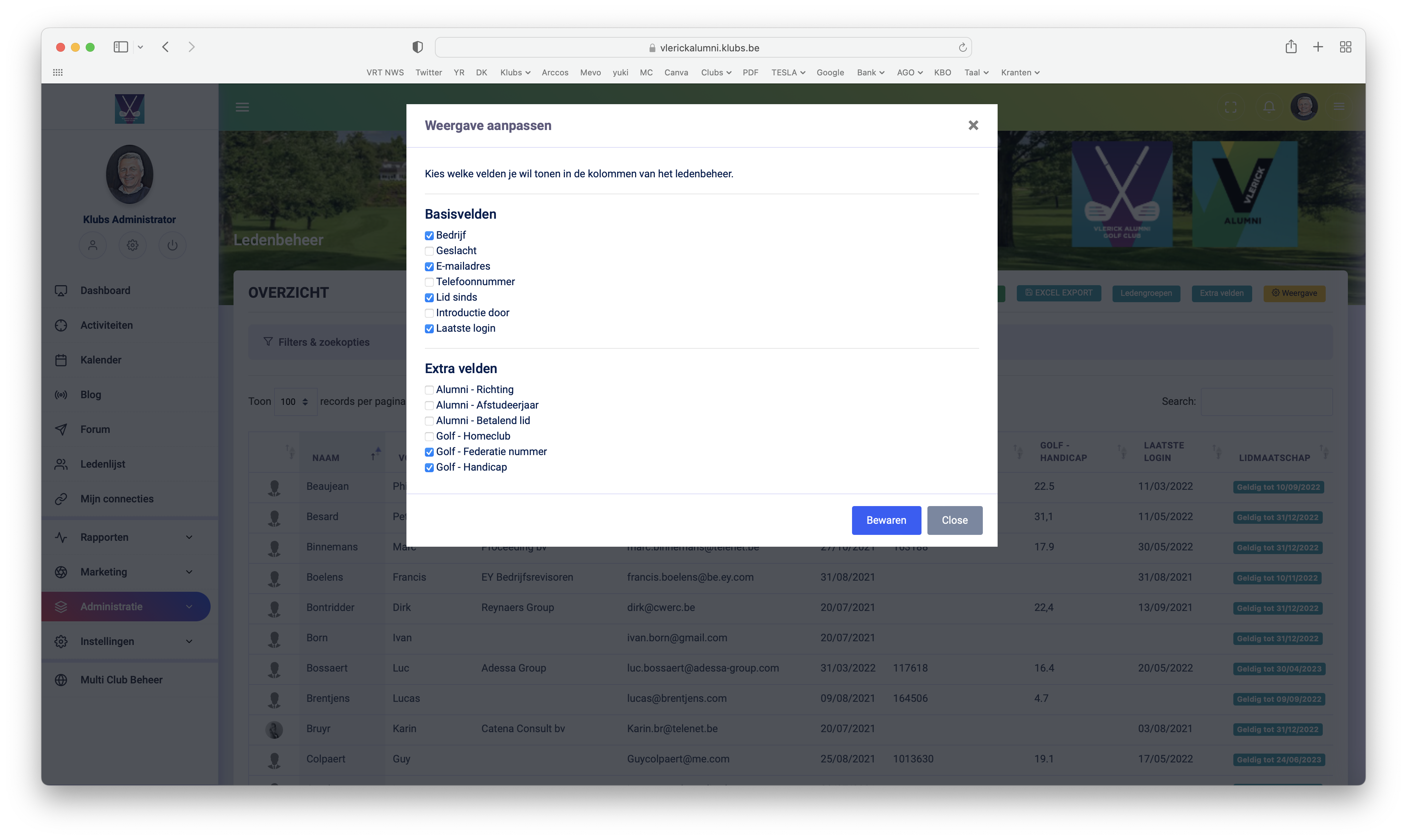
A separate screen to indicate which fields to include with:
- Basic fields: on the admin member list
- Activity: on the attendance list, tab - member info
Input
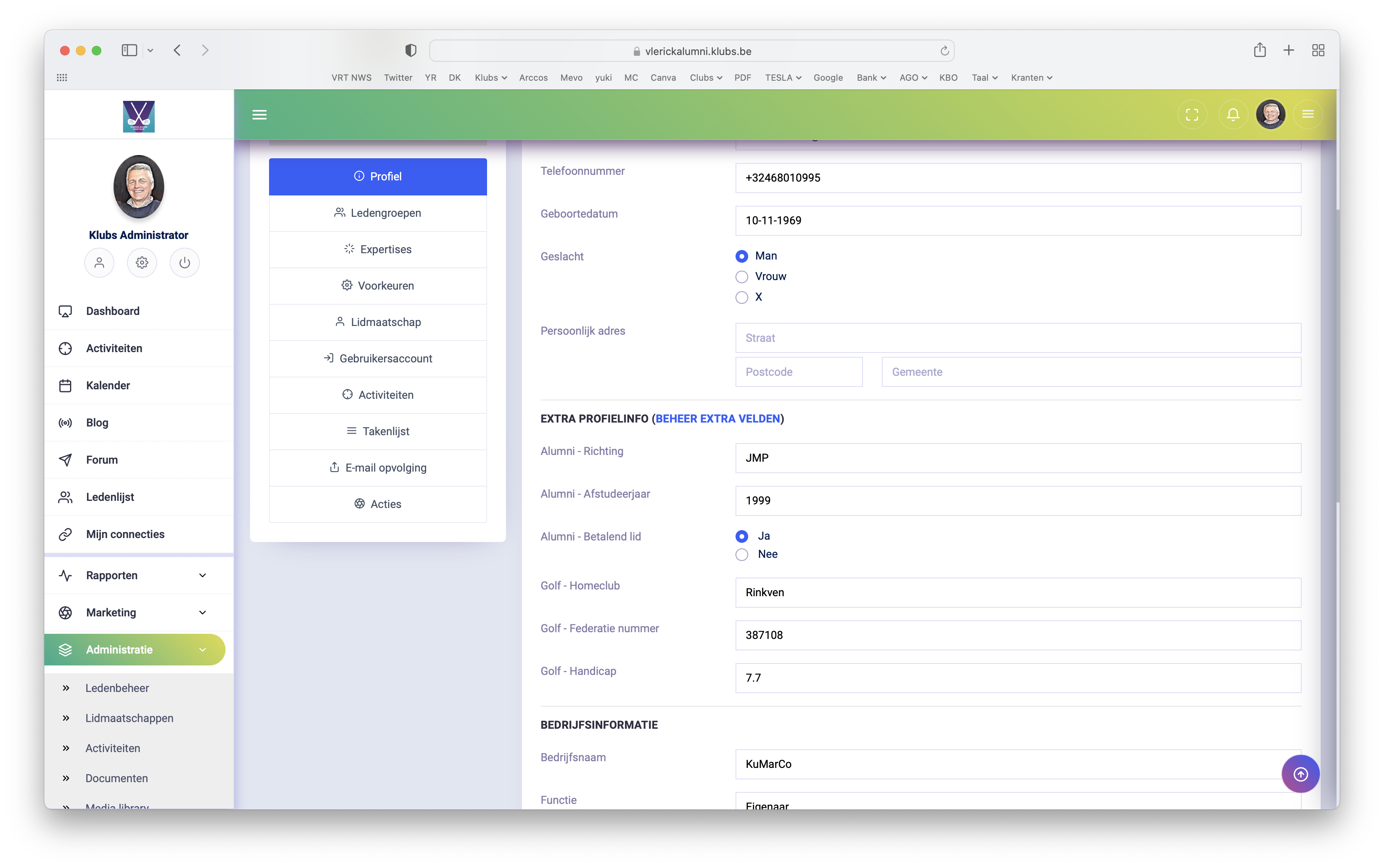
The additional fields are customizable by members on their profiles
And also by the admin after selecting a member in Member Management
Use
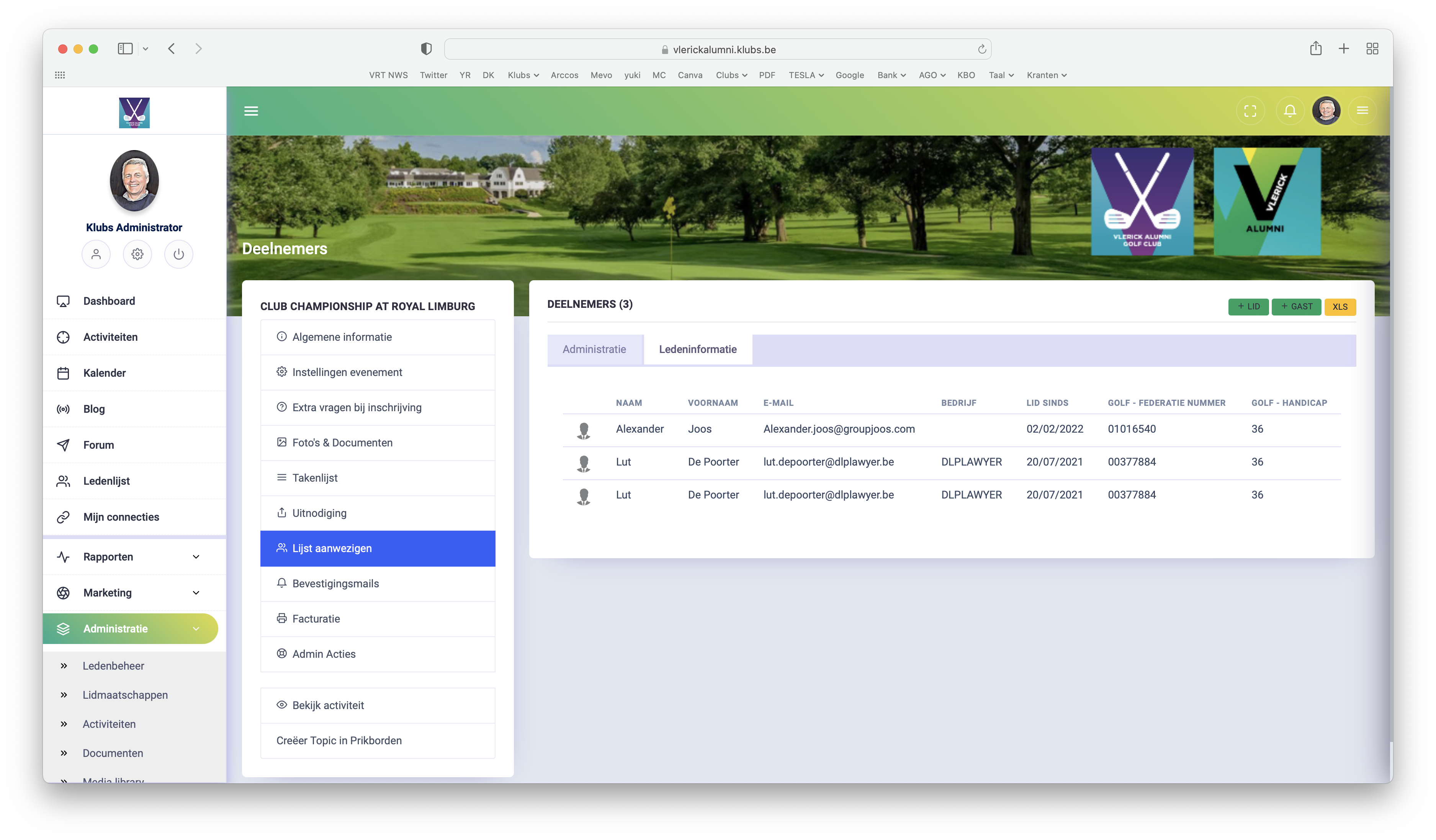
These meta fields can now be used to capture additional, club-specific, profile data.
You can find this member info at the activity on the attendance list, tab - member info.
To be further developed for: search function, downloads (Excel), selections for mailings, ...
Expansion

With the sort option, you can now also arrange the meta fields to make the query more clear.
Possibly, by extension, set up a structure of the additional fields.