

A full mail campaign functionality in the Klubs tool to communicate with members and prospects.
Setup
Within the Marketing menu, the possibility of setting up a mail campaign.
Input
- Info & Headers
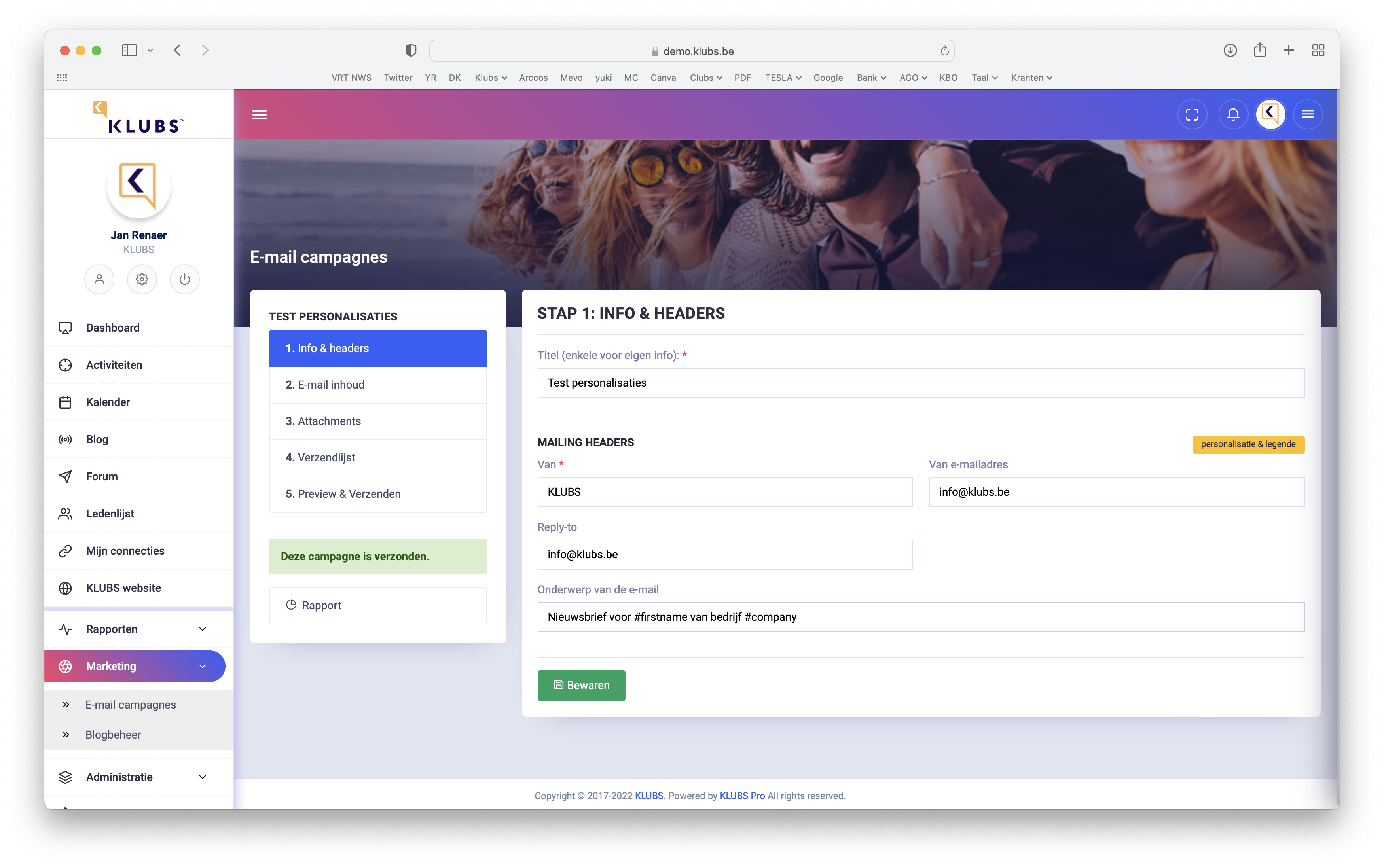
Input of the general info with the mailing header data.
But especially the subject of the mail (subject) which is personalizable via shortcodes (personalization & legend).
Easy input via click and paste.
- Email content
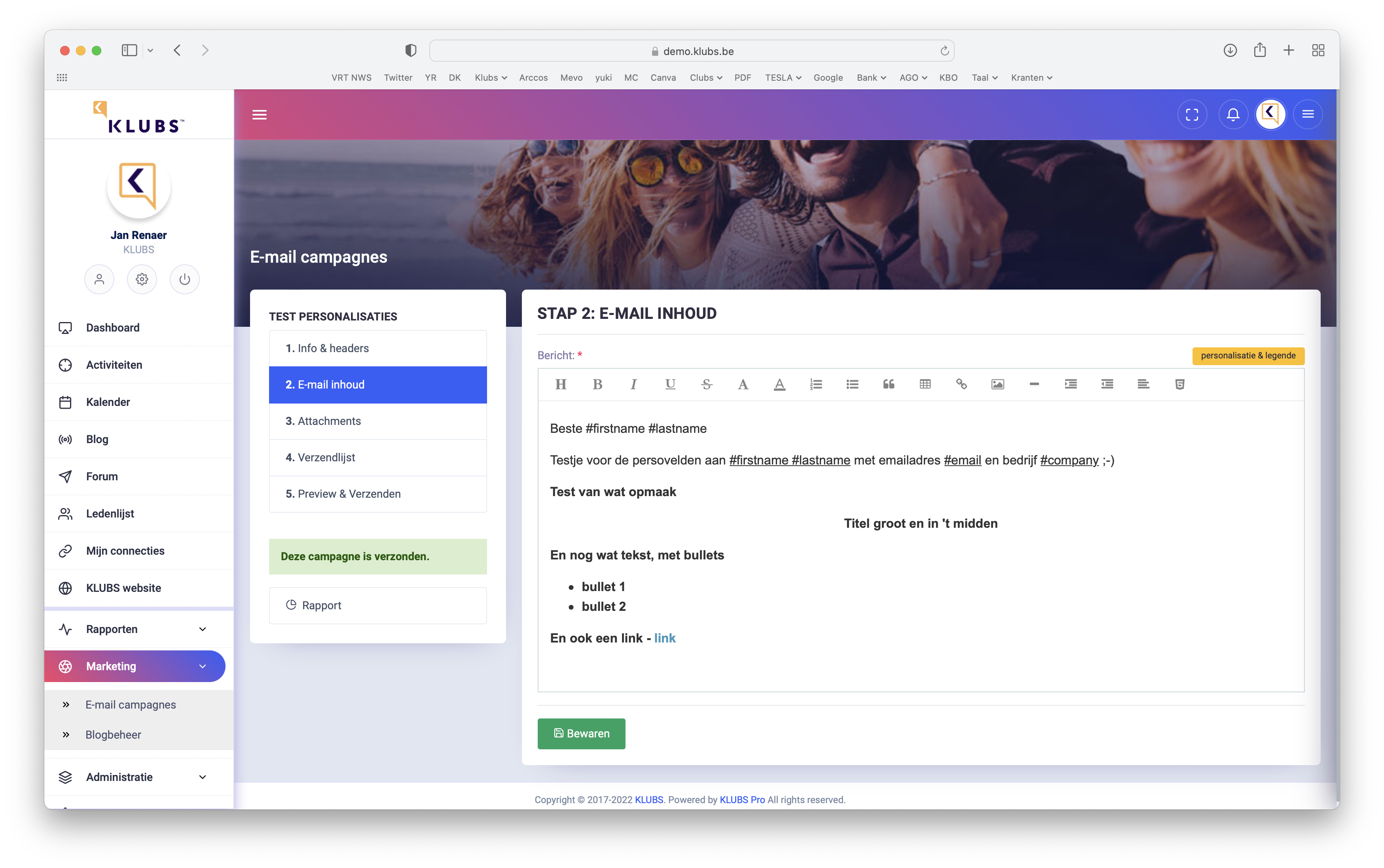
Use of the editor for formatting a mail campaign.
Complete with text formatting, pictures, links (to external sites), possibly even review of the html source code for finer editing.
HTML Formatting

Optionally, you can format an email entirely in HTML. This offers extensive design options.
For this HTML formatting: Knowledge Base – Text Editor
- Attachments
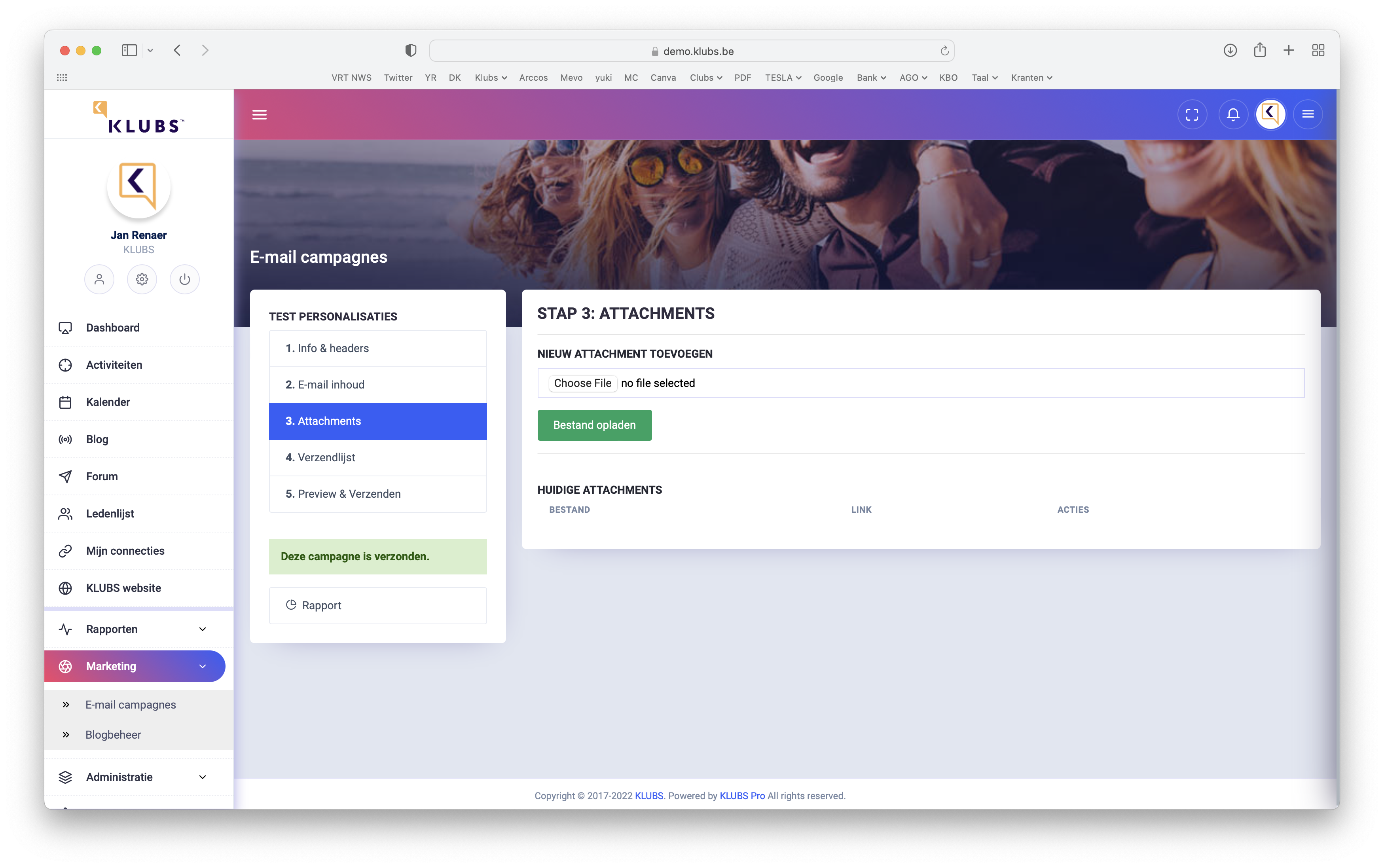
Also send files along with the mailing.
Easy to upload and will be sent as a link in the mailing.
- Mailing list
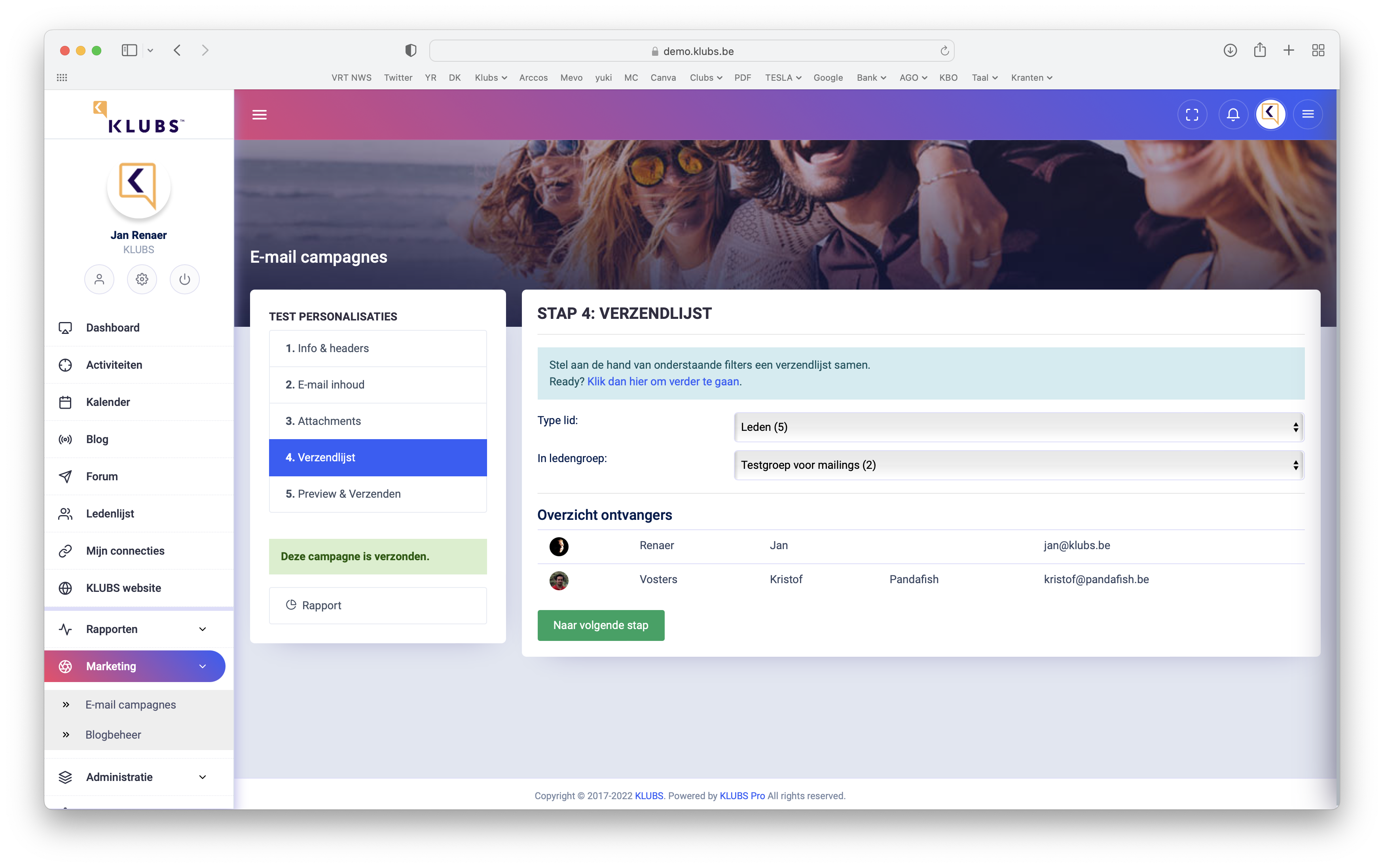
Formatting the mailing list by selecting member type and member groups.
Also indication of number of recipients after selection.
- Preview & Shipping
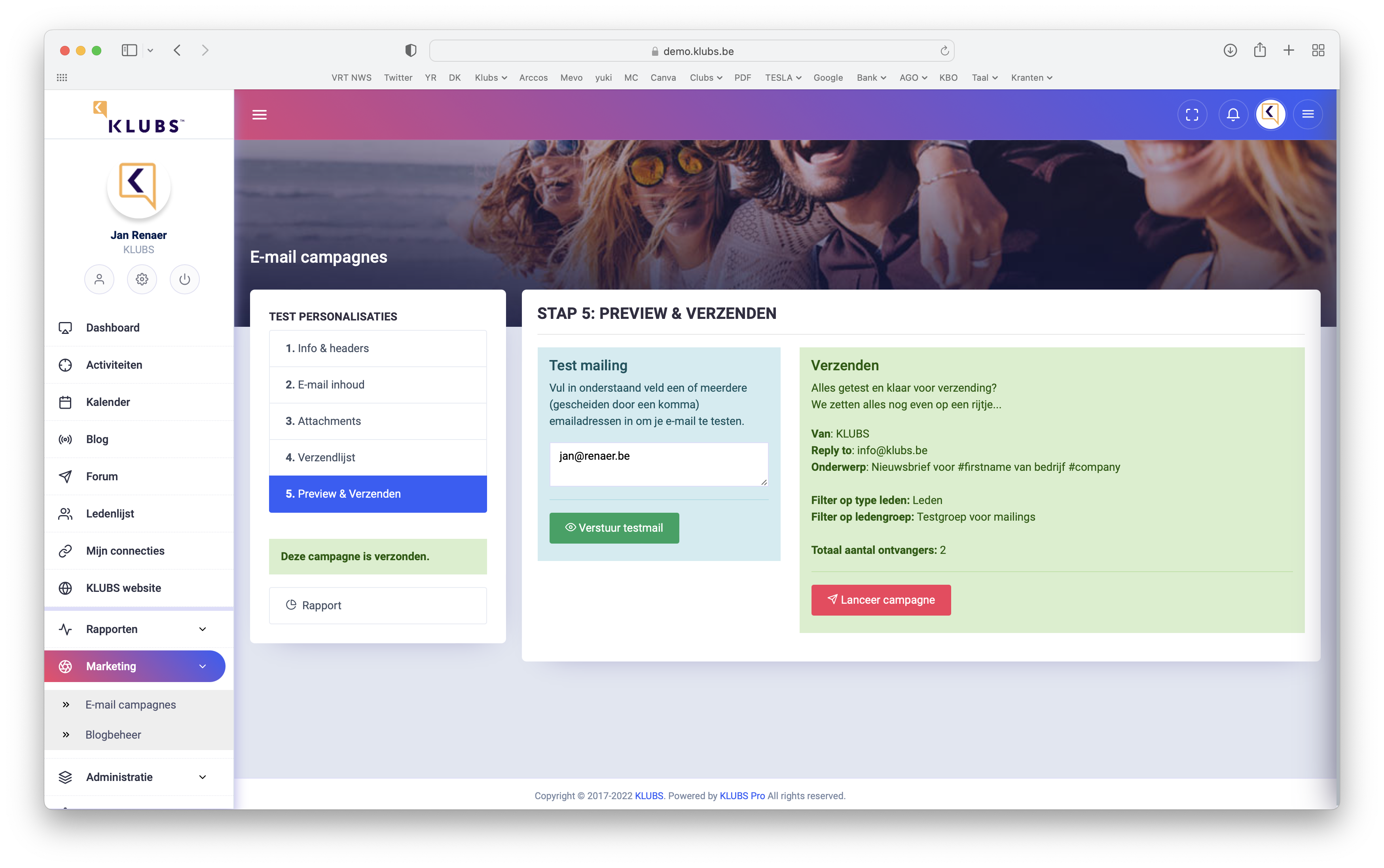
A summary just before sending: the header info, filters, number of recipients.
Sending the mail campaign or the possibility of a test mail.
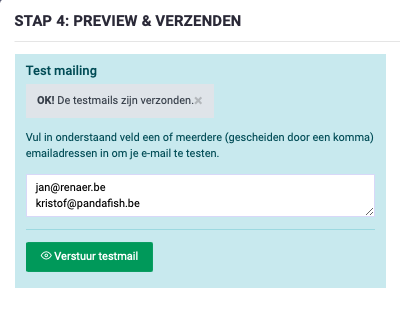
You can also forward the test mailing to different people. Simply include the mail addresses.
Multi-language Campaigns
Setting up multi-language campaigns runs quite smoothly through the use of member groups.

Set up the member groups, and register the members' language preferences.
Then set up different mail campaigns (per language) and send them to the separate member groups via the mailing list.
Reporting
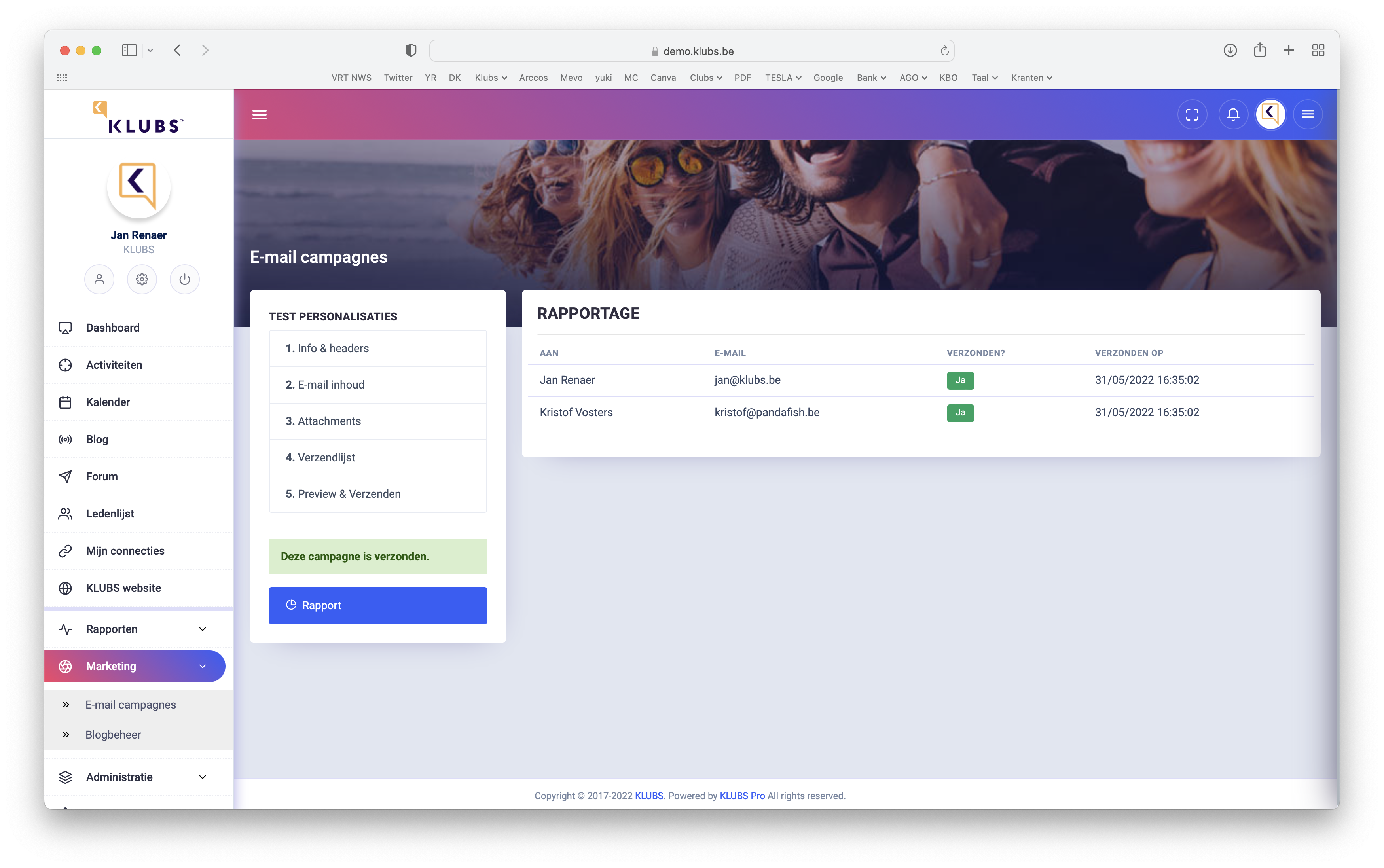
Campaign reporting with indication of effective sending timing.