

Your club's financial processing is primarily for annual memberships and processing the cost of activities.
A number of provisions have been made for this in Klubs. And either to track this internally or through an external accounting software.
For clarification around administration and accounting for your club, please refer to a Long Read around administration, accounting, VAT status, debit notes.
Clubs - Accounting and Administration
Financial set-up
The Klubs financial set-up consists of declaring the VAT rate for memberships and activities and also the Pricing.

1. VAT rate
Here you determine which VAT percentage applies to the charging of Memberships or Activities. This is because some clubs have a VAT exemption for membership fees (e.g. sports clubs).
2. Prices indication
Depending on the type of members within your club, there is separate pricing
- Includes VAT - for private memberships
As regular consumer prices. - Excluding VAT - for business memberships
Between businesses, the rule is that listed prices are exclusive of VAT.
This indication (including/excluding VAT and the indication of the VAT percentage) is shown on the detail info of the activity as part of Legal Context.

Financial Processing
Memberships
1. Membership status
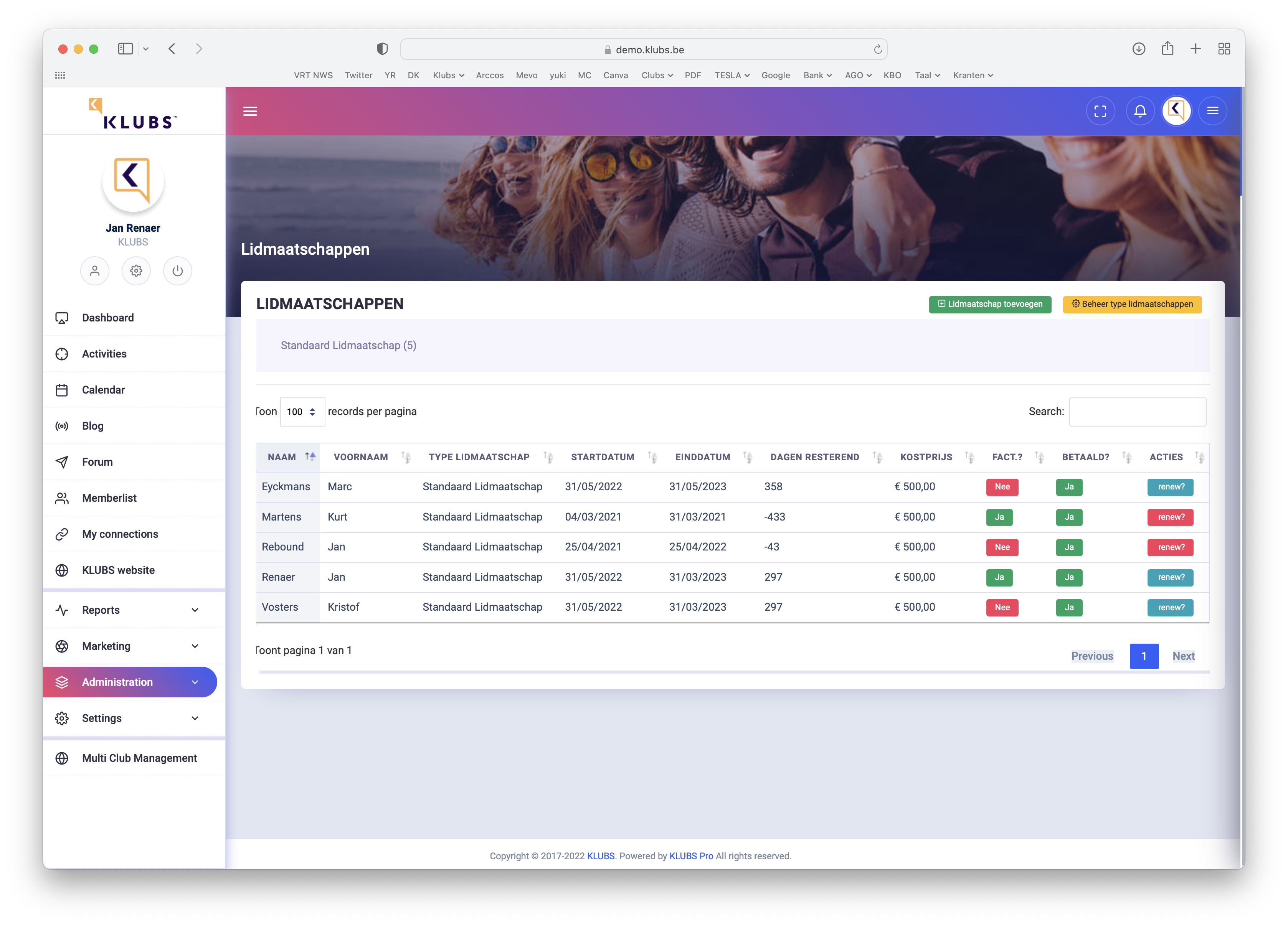
Review of status:
- [Renew]: ability to renew this membership (if Red - membership expired)
- Further indications (to be modified if necessary): "Invoiced" and "Paid"
2. Membership renewal
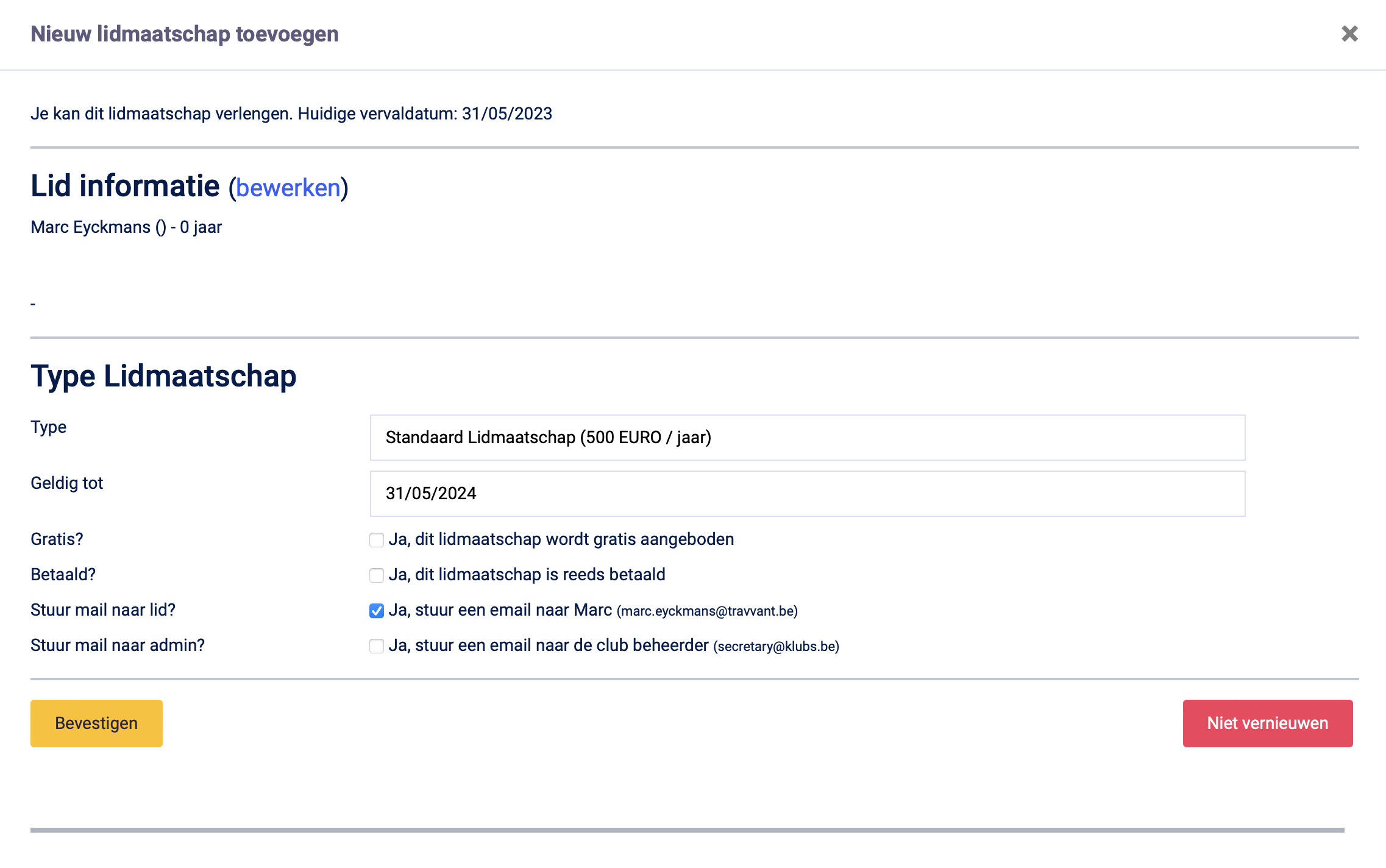
On the membership renewal screen, the financial info for this membership can be changed:
- Type of Membership
- Period of validity
- Possibly free membership
- Payment info
- Communication options
3. Follow up
Follow up on payments:
- The renewal email can be sent in cc to Admin, follow up via this email
- Track in Clubs via Indication "billed" and "paid" on membership
Activities
1. Attendance list
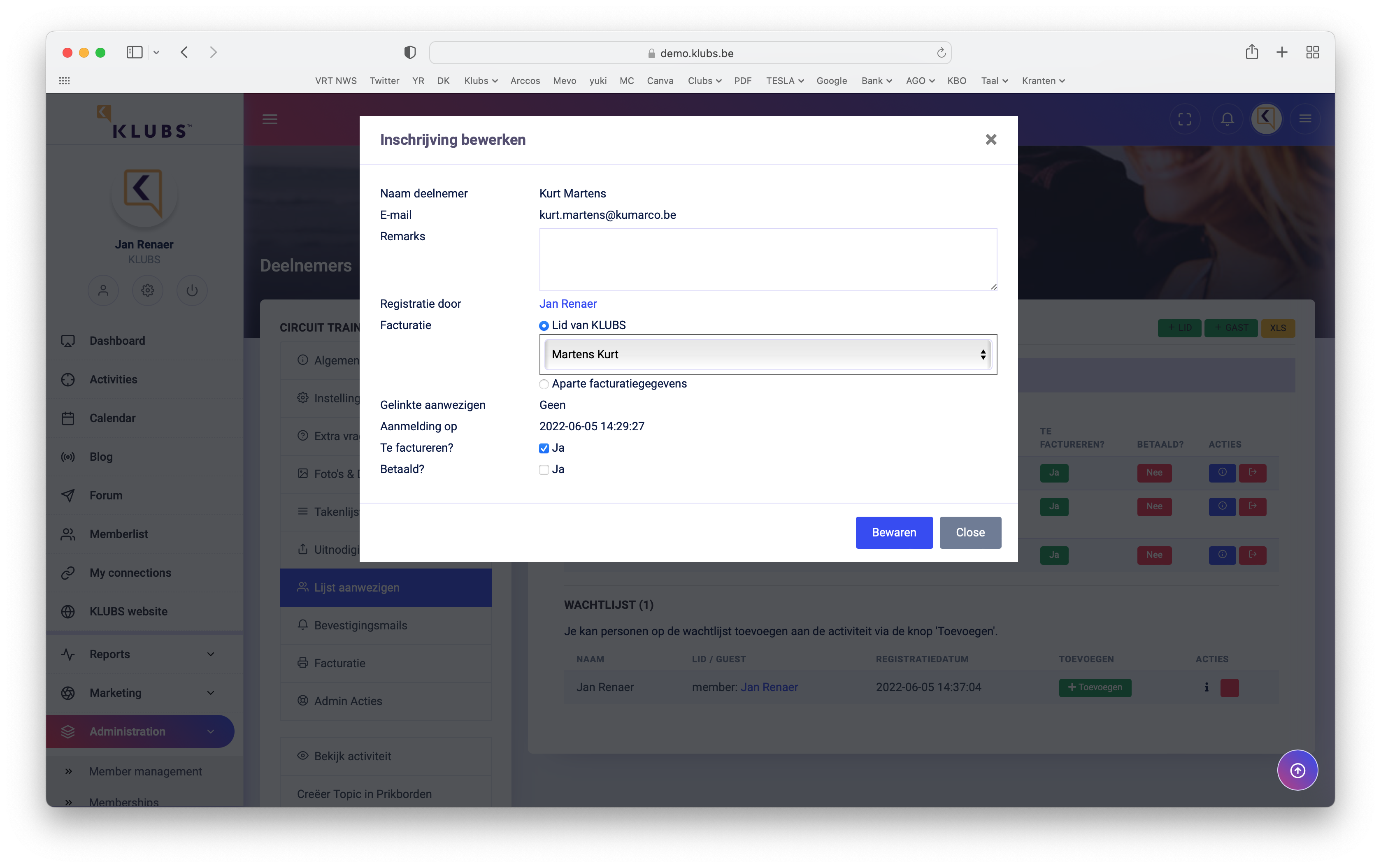
Before proceeding with the billing of an activity, it is important to check the attendance list.
- De-registration of those not present
- Assign guests to the member in charge of billing
- Optionally indicate that no billing is required - will not be included in billing list
- Ability to indicate that this activity has already been paid for (see later)
2. Billing
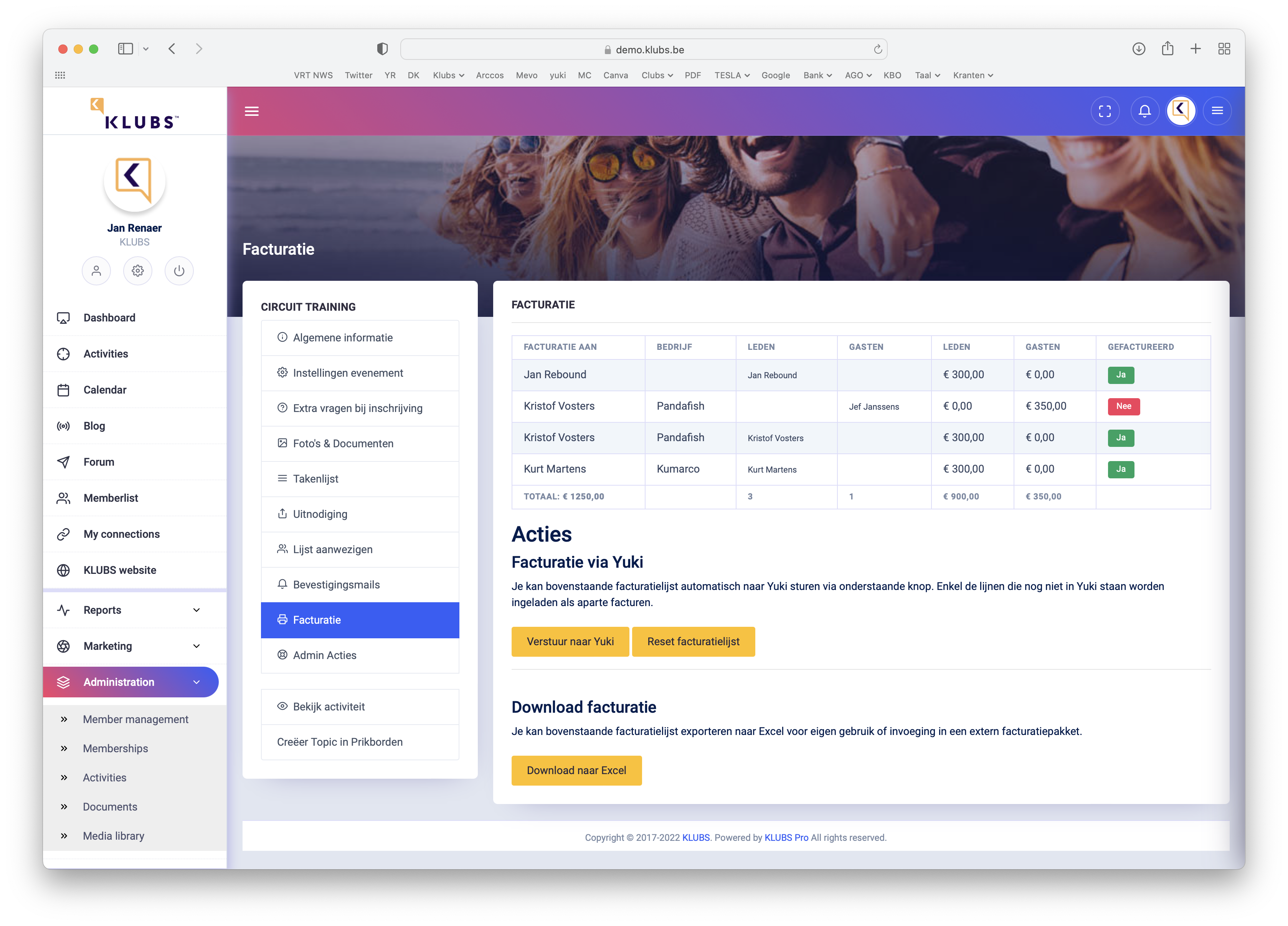
On the invoicing screen all the info needed for a final check before invoicing:
- List of members and guests present
- Indicative costs members and guests
- Totals: attendees, amount members and amount guests
- Billing status: invoiced or to be invoiced
- Invoicing options, via Accounting or download to Excel
Optional billing list reset as well.
3. Invoicing guests
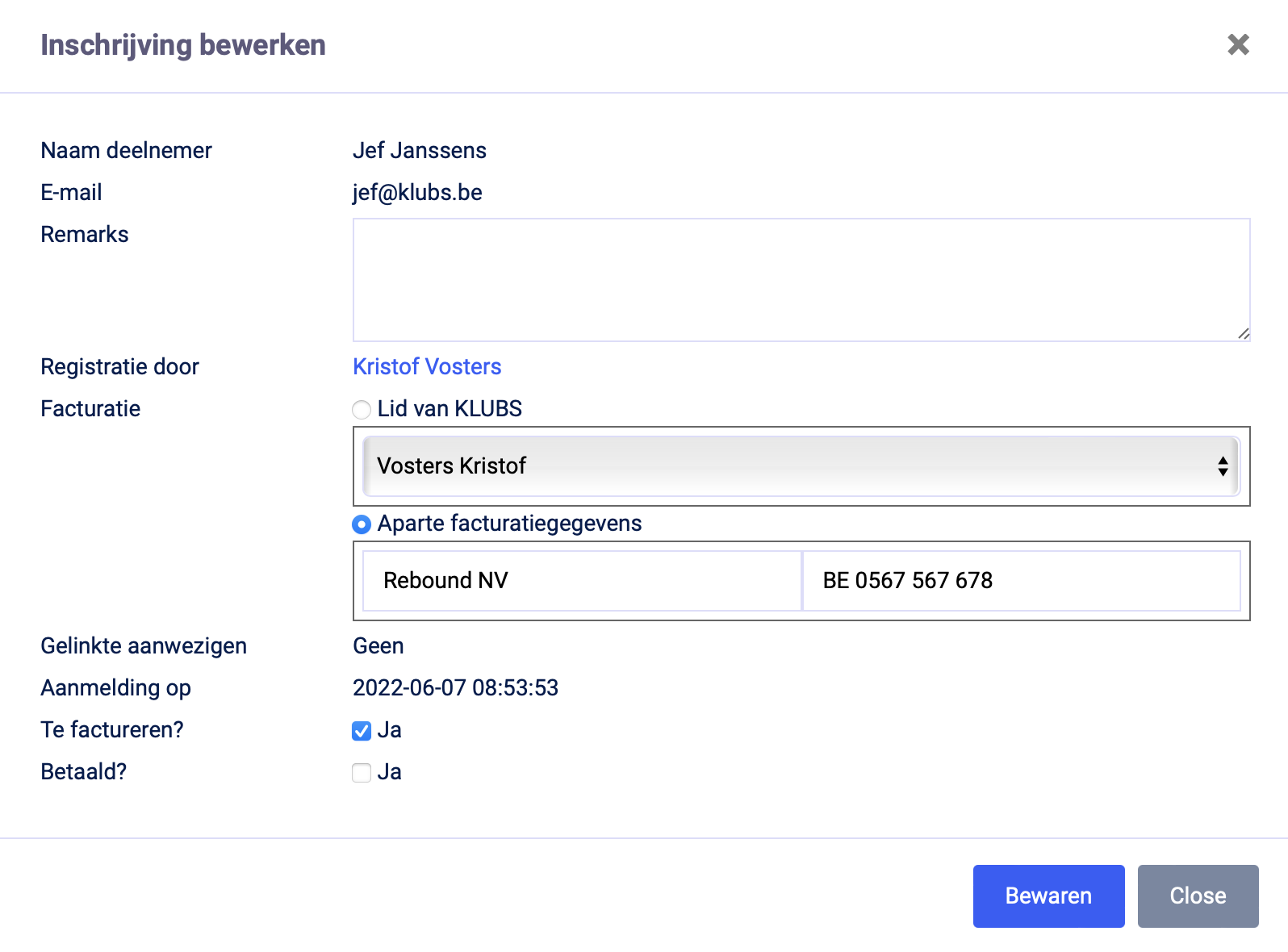
Possibility to specify separate billing info on the Attendance list (Company name, VAT no.) which is then included in the billing.
4. Billing
After forwarding to accounting or downloading the invoice sheet, the effective invoicing can then be finished.
Follow up on payments:
- Manually: via checking bank statements and indication "paid" on the attendance list
- Through the Open Items and Reminders functionality in Accounting.